Easy Smart Home Setup Guide for Beginners and Renters
If you’re new to smart homes or renting your space, getting started doesn’t have to be complicated or expensive. Exploring smart home setup for renters reveals important insights. This easy smart home setup guide for beginners and renters walks you through practical, non-permanent solutions that deliver real convenience without violating lease agreements or requiring technical expertise. You’ll learn which devices offer the best value, how to avoid common pitfalls, and how to build a system that grows with your needs—all while keeping installation simple and reversible.
Why Smart Homes Aren’t Just for Homeowners
Many people assume smart home technology is only for homeowners who can hardwire systems into walls or reconfigure electrical setups. But modern smart devices are designed with flexibility in mind. Renters, in particular, benefit from wireless, plug-and-play options that don’t require drilling, rewiring, or permanent modifications. From voice-controlled lights to smart locks that work with existing hardware, today’s ecosystem supports temporary living situations without sacrificing functionality.
The key is choosing devices that are both user-friendly and lease-compliant. Most landlords allow plug-in smart plugs, adhesive-mounted sensors, and battery-powered cameras—especially when they enhance safety or energy efficiency. Always check your lease terms, but in most cases, removable smart tech is not only acceptable but encouraged.
Essential Devices for a Starter Smart Home
You don’t need a full ecosystem to enjoy the benefits of automation. Start small with a few high-impact devices that solve everyday problems. These foundational tools work well in apartments, condos, or shared housing and require minimal setup.
- Smart Plug: Turns any ordinary appliance into a smart device. Use it to control lamps, coffee makers, or fans remotely via an app or voice command. Look for models with scheduling and energy monitoring, like the TP-Link Kasa or Wemo Mini.
- Smart Bulbs: Replace standard bulbs with Wi-Fi-enabled versions (e.g., Philips Hue, LIFX, or budget-friendly Wyze). Adjust brightness, color, and schedules without touching a switch. Great for creating ambiance or simulating presence when you’re away.
- Voice Assistant Hub: A smart speaker like Amazon Echo (4th Gen) or Google Nest Hub acts as your central command center. It lets you control other devices hands-free and integrates with music, calendars, and routines.
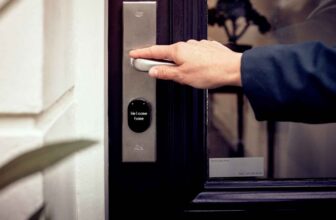
- Smart Door Lock (Optional): If your door has a standard deadbolt, consider a retrofit lock like the August Smart Lock Pro. It fits over your existing hardware and allows keyless entry via app or code—no permanent changes needed.
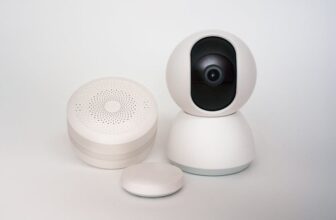
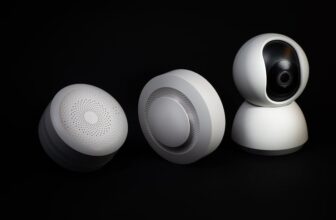
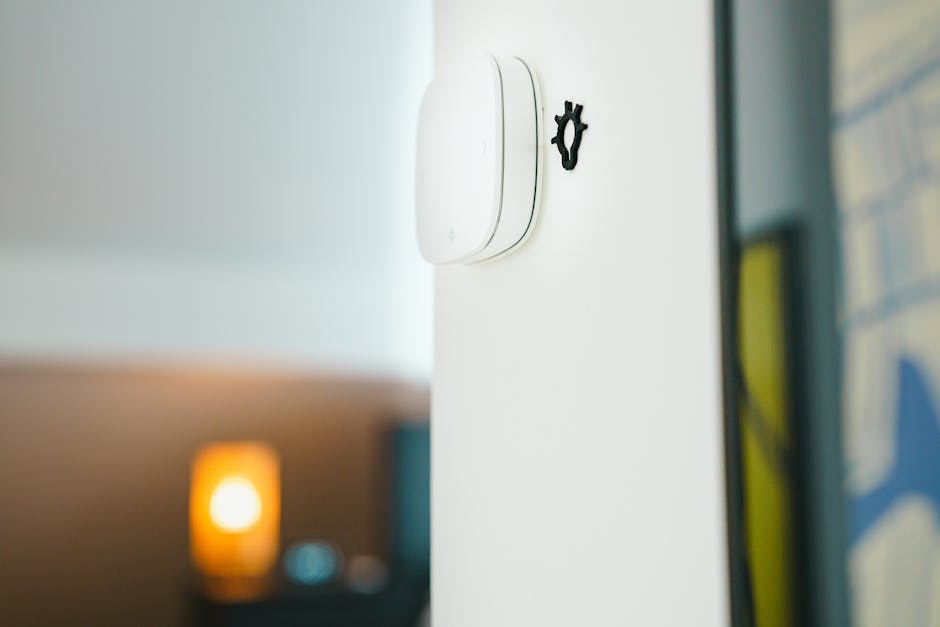
- Motion or Door/Window Sensor: Battery-powered sensors from brands like Aqara or Samsung SmartThings alert you when doors open or movement is detected. Useful for security or triggering lights automatically.
These five devices form a solid foundation. They’re affordable, widely compatible, and easy to install in under an hour. Most cost less than $200 total if you shop strategically.
Step-by-Step: Building Your First Smart Home System
Follow this straightforward process to set up your smart home without confusion or frustration. Each step builds on the last, ensuring compatibility and ease of use.
1. Choose a Central Platform
Decide whether you’ll use Amazon Alexa, Google Assistant, or Apple HomeKit as your primary control system. Your choice affects which devices you can buy. For example:
- Alexa: Broadest device compatibility, ideal for mixed-brand setups.
- Google Assistant: Strong integration with Android phones and Google services.
- HomeKit: Best for iPhone users who prioritize privacy and local control (requires a HomePod or Apple TV as a hub).
Most beginners find Alexa or Google Assistant more accessible due to lower entry costs and wider support.
2. Start with One Room
Don’t try to automate your entire home at once. Pick a high-traffic area like the living room or bedroom. Install a smart plug, a couple of smart bulbs, and a voice assistant there. Test how they work together before expanding.
3. Connect Devices to Your Network
Use the manufacturer’s app to pair each device to your Wi-Fi. Ensure your router supports 2.4 GHz networks—most smart devices don’t work on 5 GHz alone. Place your router centrally and avoid signal blockers like thick walls or metal objects.
4. Create Simple Routines
Automate basic actions to save time. Examples:
- “Good Morning” routine: Turns on lights, starts the coffee maker, and reads the weather.
- “Leaving Home” routine: Turns off all lights, locks the door (if equipped), and arms motion sensors.
- “Bedtime” routine: Dims lights, sets thermostat, and plays white noise.
These routines run automatically based on time, location, or voice trigger—no manual input needed after setup.
5. Expand Gradually
Once your first room works smoothly, add devices elsewhere. Prioritize based on need: a smart plug in the kitchen for the kettle, a sensor on the front door, or outdoor lighting for safety. Avoid buying gadgets just because they’re trendy.
Renter-Friendly Installation Tips
Living in a rental doesn’t mean sacrificing smart features. Use these strategies to keep installations temporary and damage-free.
- Use adhesive mounts: Brands like 3M Command hold cameras, sensors, and even small speakers without leaving residue.
- Avoid hardwiring: Stick to battery-powered or plug-in devices. Never cut wires or modify outlets.
- Choose removable smart switches: Products like the Lutron Caséta Wireless Switch mount over existing switches and don’t require electrical work.
- Document original settings: Take photos before installing anything. This helps you restore the space exactly when moving out.
- Check local laws: Some cities restrict video doorbells or outdoor cameras. Verify regulations before installing.
Most landlords appreciate tenants who use non-invasive tech—it often improves property value and tenant satisfaction. Exploring smart home setup for renters reveals important insights. If unsure, ask for written permission before installing anything visible or structural.
Avoiding Common Smart Home Mistakes
Even simple setups can go wrong if you overlook basics. Steer clear of these frequent errors:
- Buying incompatible devices: Not all smart plugs work with every voice assistant. Check compatibility charts before purchasing.
- Overloading your Wi-Fi: Too many connected devices can slow your network. Use a mesh system (like Eero or Google Nest WiFi) if you have dead zones or many gadgets.
- Ignoring firmware updates: Manufacturers release updates to fix bugs and improve security. Enable auto-updates where possible.
- Using weak passwords: Each smart device should have a unique, strong password. Reusing credentials puts your entire network at risk.
- Skipping privacy settings: Review microphone and camera permissions. Disable features you don’t need, like constant listening or cloud recording.
A little planning prevents frustration down the line. Focus on reliability and security from day one.
Budget-Friendly Starter Kits and Alternatives
You don’t need premium brands to get started. Several affordable bundles deliver excellent performance:
| Kit Name | Includes | Approx. Price | Best For |
|---|---|---|---|
| Wyze Smart Home Starter Pack | 2 smart bulbs, 1 plug, 1 camera, motion sensor | $60 | Tight budgets, basic automation |
| Amazon Echo Dot + Smart Plug Bundle | Echo Dot (5th Gen), Kasa smart plug | $35 (frequent deal) | Voice control entry point |
| Google Nest Essentials | Nest Mini, 2 smart bulbs (via partner), door sensor | $80 | Google ecosystem users |
These kits cover core functions and leave room to expand. Avoid “all-in-one” systems that lock you into one brand unless you’re committed long-term.
Security and Privacy: What You Need to Know
Smart devices collect data—sometimes more than you expect. Protect yourself with these practices:
- Change default usernames and passwords immediately.
- Use two-factor authentication (2FA) on all accounts.
- Regularly review connected devices in your app and remove unused ones.
- Opt for devices with local processing (e.g., Apple HomeKit Secure Video) when possible.
- Keep your home network secure with a strong Wi-Fi password and guest network for visitors.
No system is 100% hack-proof, but these steps significantly reduce risk. Remember: convenience shouldn’t come at the cost of your privacy.
Scaling Up: When and How to Expand
Once you’re comfortable with basics, consider adding more advanced features:
- Smart thermostat: Models like Nest Thermostat or Ecobee work in rentals if you can temporarily remove the old unit (store it safely for move-out).
- Smart blinds: Battery-powered options from SwitchBot or IKEA don’t require wiring.
- Leak detectors: Place under sinks or near appliances to prevent water damage—critical in shared buildings.
- Multi-room audio: Sync music across Echo or Nest speakers for parties or ambiance.
Expansion should solve a real problem or enhance daily life—not just add novelty. Track which automations you actually use and refine accordingly.
Final Thoughts: Smart Living Made Simple
An easy smart home setup for beginners and renters is entirely achievable with thoughtful planning and the right tools. You don’t need technical skills, permanent installations, or a large budget. Start small, prioritize compatibility and privacy, and build gradually. The goal isn’t to automate everything—it’s to make your space more convenient, secure, and enjoyable with minimal effort.
With this guide, you’re equipped to create a smart home that fits your lifestyle and living situation. Whether you’re in a studio apartment or a shared house, the future of home automation is flexible, accessible, and within reach.
FAQ
Can I install a smart home system in a rental apartment?
Yes—most plug-in and adhesive-mounted smart devices are renter-friendly. Avoid hardwiring or permanent changes, and always check your lease agreement before installing visible equipment like cameras or door locks.
Do I need a strong Wi-Fi connection for smart home devices?
Most smart devices require a stable 2.4 GHz Wi-Fi signal. If your router is far from devices or you have many gadgets, consider a mesh Wi-Fi system to improve coverage and reliability.
Are smart home devices secure from hacking?
They can be, if properly configured. Use strong passwords, enable two-factor authentication, keep firmware updated, and avoid sharing account details. Choose reputable brands with transparent privacy policies.