Smart Home Devices for Voice Assistant Integration
If you’re looking to build a connected home that responds to your voice, choosing the right smart home devices for voice assistant integration is essential. Whether you use Amazon Alexa, Google Assistant, or Apple Siri, compatibility and ease of use matter most. This guide walks you through the best devices that work seamlessly with voice assistants, how to set them up, and what to avoid. You’ll learn which products offer reliable performance, strong security, and real convenience—without the frustration of setup hiccups or limited functionality.
Why Voice Assistant Integration Matters

Voice assistants have transformed how we interact with our homes. Instead of tapping apps or flipping switches, you can simply say, “Turn off the lights” or “Set the thermostat to 72 degrees.” This hands-free control saves time and adds accessibility, especially for people with mobility challenges.
But not all smart devices play nicely with every assistant. A smart plug that works perfectly with Alexa might not respond to Google Assistant. That’s why understanding compatibility is the first step toward a smooth, frustration-free smart home experience.
Top Smart Home Devices That Work with Voice Assistants
Smart Lights
Smart bulbs and switches are among the most popular entry points into home automation. Brands like Philips Hue, LIFX, and Wyze offer bulbs that connect directly to your Wi-Fi or via a hub and respond reliably to voice commands.
Philips Hue, for example, works with Alexa, Google Assistant, and Siri. You can say, “Alexa, dim the living room lights to 50%,” and the change happens instantly. LIFX bulbs don’t require a hub, making setup faster, while Wyze offers budget-friendly options with solid voice control.
Smart Thermostats
Devices like the Nest Learning Thermostat and Ecobee SmartThermostat let you adjust temperature with your voice. Say, “Hey Google, make it warmer,” and the system responds within seconds.
Ecobee includes built-in microphones and speakers, so it can act as a voice assistant itself. Nest integrates deeply with Google services, offering personalized suggestions based on your habits. Both support remote scheduling and energy-saving features, helping reduce utility bills over time.
Smart Plugs and Outlets
Smart plugs are a simple way to make any appliance voice-controlled. Plug in a lamp, fan, or coffee maker, and you can turn it on or off with a voice command.
TP-Link Kasa and Wemo Mini are reliable choices. They work across Alexa, Google Assistant, and Apple HomeKit. For example, you can say, “Siri, turn on the bedroom fan,” and the plug activates. Just ensure your plug supports the assistant you use—some older models only work with specific platforms.
Smart Speakers and Displays
Your voice assistant needs a central hub. Amazon Echo, Google Nest, and Apple HomePod are the most common options. Each doubles as a speaker and smart home controller.
The Echo Dot is affordable and widely compatible. The Nest Hub includes a screen for visual feedback, like showing the weather or your calendar. HomePod Mini integrates tightly with Apple devices but has limited third-party support compared to Alexa or Google.
Smart Locks
Voice-controlled locks add convenience and security. August Smart Lock and Yale Assure Lock work with voice assistants to lock or unlock doors—though with some limitations.
For safety, most locks require a PIN or confirmation phrase. You might say, “Alexa, ask Yale to lock the front door,” and then enter a code. This prevents accidental unlocking. Always check local laws and insurance policies, as some require physical keys as a backup.
Smart Cameras and Doorbells
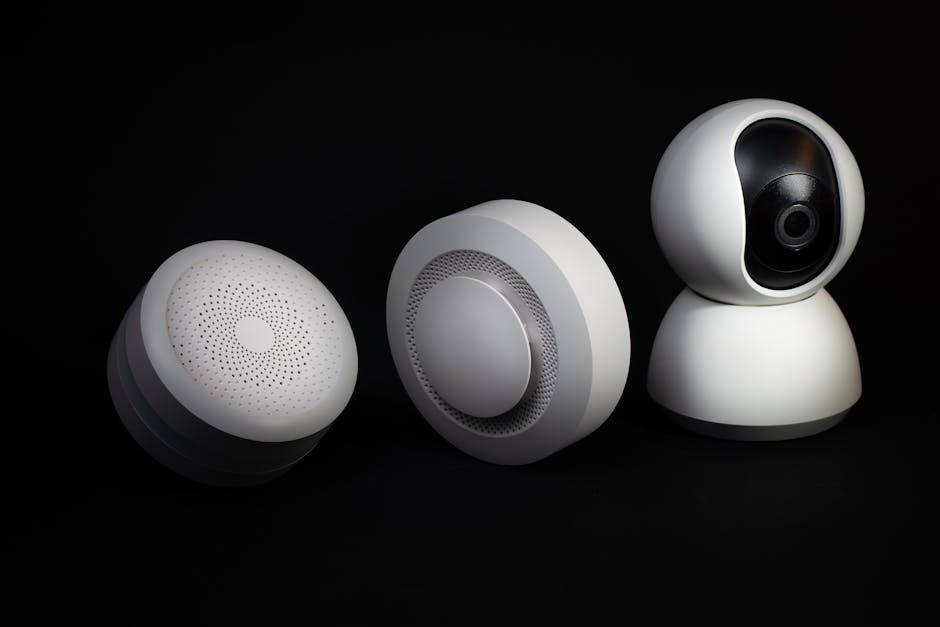
Ring, Arlo, and Google Nest offer cameras and doorbells that integrate with voice assistants. You can ask, “Show me the front door,” and view the feed on a compatible smart display.
Ring works best with Alexa, while Nest cameras are optimized for Google Assistant. Arlo supports multiple platforms but may require extra setup. Privacy is a concern—always enable two-factor authentication and review data-sharing settings.
Smart Blinds and Shades
Motorized window treatments like those from Lutron Serena or IKEA Fyrtur let you open or close blinds with your voice. Say, “Hey Google, close the bedroom blinds,” and they respond automatically.
Lutron’s system uses a hub and works with all major assistants. IKEA’s option is more affordable and integrates with Alexa and Google Assistant. These devices are ideal for managing natural light and privacy without manual effort.
Smart Appliances
From ovens to refrigerators, major appliance brands now offer voice-enabled models. Samsung Family Hub refrigerators let you check the inside via voice command. GE Profile ovens can preheat when you say, “Start preheating to 350 degrees.”
These devices often require manufacturer apps and may have limited voice functionality compared to simpler gadgets. Still, they’re useful for hands-free cooking and kitchen management.
How to Set Up Voice Assistant Integration
Step 1: Choose Your Voice Assistant
Decide whether you’ll use Alexa, Google Assistant, or Siri. Your choice affects which devices you can use. Most smart home products support at least two platforms, but some are exclusive.
If you already own an iPhone or Mac, Siri might feel more natural. Android users often prefer Google Assistant. Amazon Echo owners will lean toward Alexa. Stick with one ecosystem when possible to reduce complexity.
Step 2: Check Device Compatibility
Before buying, verify that the device works with your assistant. Look for certification badges like “Works with Alexa” or “Google Assistant Compatible” on packaging or product pages.
Websites like the Amazon Alexa Skills store or Google’s Works with Google Assistant directory list verified devices. Avoid products that only claim “voice control” without specifying which assistants are supported.
Step 3: Connect Devices to Your Network
Download the manufacturer’s app and follow setup instructions. Most devices connect via Wi-Fi or Bluetooth. Some, like Philips Hue, require a hub for full functionality.
Ensure your Wi-Fi network is stable. Weak signals can cause delays or failed commands. Place your router centrally and consider a mesh system if your home is large.
Step 4: Link to Your Voice Assistant
Open your voice assistant app (Alexa, Google Home, or Apple Home) and add the new device. The app will usually detect it automatically or guide you through pairing.
Once linked, test basic commands. Say, “Turn on the kitchen light,” and confirm it works. Rename devices clearly—”Living Room Lamp” is better than “Device 3″—to avoid confusion.
Step 5: Create Routines and Automations
Routines let you control multiple devices with one command. For example, say, “Good morning,” and your lights turn on, the thermostat adjusts, and the coffee maker starts.
In the Alexa app, go to Routines > Create New. Choose a trigger (voice, time, or sensor) and add actions. Google Home and Apple Home offer similar features. Start simple and expand as you get comfortable.
Common Pitfalls and How to Avoid Them
Overloading Your Network
Too many smart devices can slow down your Wi-Fi. Each connected gadget uses bandwidth, especially cameras and video doorbells.
Limit devices per room and prioritize quality over quantity. Use a dual-band router and assign smart devices to the 2.4 GHz band, which handles more connections better than 5 GHz.
Poor Voice Recognition
Background noise, distance, or unclear speech can cause voice assistants to mishear commands. “Turn on the fan” might be interpreted as “Turn on the van.”
Place speakers away from walls and appliances. Use wake words clearly and avoid shouting. Some assistants allow custom wake words—try “Echo” instead of “Alexa” if you have pets named Alex.
Security and Privacy Risks
Smart devices collect data, and some have been hacked. Always change default passwords and enable two-factor authentication.
Review privacy settings regularly. Disable microphone access when not in use, and delete voice recordings if your assistant allows it. Avoid linking sensitive accounts (like banking) to voice commands.
Inconsistent Performance
Not all devices respond at the same speed. A smart bulb might turn on instantly, while a smart lock takes 10 seconds.
Stick to well-reviewed brands and check user feedback. Devices with local processing (like some Nest products) respond faster than those relying on cloud servers.
Tips for a Smarter, More Efficient Home
Start small. Add one or two devices and master them before expanding. A smart speaker and a few bulbs are enough to begin.
Use naming conventions. Group devices by room (“Bedroom Lights,” “Kitchen Outlets”) and avoid vague labels. This makes voice commands more reliable.
Schedule regular check-ins. Update firmware, review permissions, and remove unused devices. Smart homes work best when maintained.
Frequently Asked Questions
Can I use multiple voice assistants in one home?
Yes, but it can get confusing. You can have an Echo in the living room and a Nest Hub in the kitchen, but routines and device names may not sync. For simplicity, pick one primary assistant and use others only if needed.
Do all smart devices require a hub?
No. Many devices connect directly to Wi-Fi, like smart plugs and bulbs from LIFX or Wyze. Others, like Philips Hue or Lutron shades, need a hub for advanced features. Check product specs before buying.
Are voice-controlled devices safe for children?
Generally yes, but supervise young kids. Some devices allow purchases via voice (like Alexa’s “buy” feature), which can be disabled in settings. Use child profiles or voice recognition to limit access.