Affordable Smart Home Gadgets That Save Energy Daily
If you’re looking to cut your energy bills without spending a fortune, affordable smart home gadgets that save energy daily are a practical place to start. Exploring energy saving smart home devices reveals important insights. These devices help automate lighting, heating, and appliance usage—reducing waste and lowering monthly utility costs. From smart plugs to programmable thermostats, many options cost under $50 and pay for themselves within months. This guide covers the most effective, budget-friendly smart devices that deliver real energy savings, with clear explanations of how they work and what to consider before buying.
How Smart Home Devices Reduce Energy Consumption
Smart home gadgets improve energy efficiency by giving you better control over when and how your devices use power. Unlike traditional appliances, smart devices can detect occupancy, respond to schedules, and adjust settings automatically. For example, a smart thermostat learns your routine and adjusts the temperature when you’re asleep or away. Similarly, smart lights turn off when no one is in the room, eliminating wasted electricity.
Many of these devices connect to your Wi-Fi and work with apps or voice assistants like Alexa or Google Assistant. This allows remote monitoring and control, so you can turn off forgotten appliances or check energy usage from your phone. Over time, these small adjustments add up to noticeable savings on your electricity bill.
Top Affordable Smart Home Gadgets That Save Energy Daily
Not all smart devices are expensive. Several high-performing options are available for under $50 and deliver measurable energy savings. Below are some of the most effective and widely recommended devices.
1. Smart Plugs
Smart plugs are among the simplest and most cost-effective ways to upgrade your home. They fit into existing outlets and allow you to control lamps, fans, coffee makers, and other plug-in devices remotely. Many models support scheduling, so you can set your space heater to run only during specific hours or turn off your TV power strip at night.
For example, the TP-Link Kasa Smart Plug costs around $12 and works with most home assistants. It lets you create on/off schedules and monitor usage through an app. By preventing standby power drain—also known as “vampire power”—from devices left plugged in, smart plugs can reduce household energy use by 5–10%.
When choosing a smart plug, check compatibility with your Wi-Fi network (most use 2.4 GHz) and ensure it fits your outlet layout, especially in crowded power strips.
2. Smart Thermostats
Heating and cooling account for nearly half of the average home’s energy use, making thermostats a high-impact upgrade. While premium models like the Nest Thermostat can cost over $200, several affordable alternatives deliver similar energy-saving features.
The Honeywell Home RTH6580WF is a Wi-Fi-enabled thermostat priced under $100. It allows remote temperature control and programmable schedules. It also provides monthly energy reports, helping you track usage patterns and adjust habits. Homes using programmable thermostats can save up to 10% annually on heating and cooling, according to the U.S. Department of Energy.
Installation typically takes 30 minutes and involves turning off power at the breaker, removing the old thermostat, and connecting wires to the new unit. Most models include step-by-step guides, but if you’re unsure about wiring, consult an electrician.
3. Smart LED Light Bulbs
Switching to LED bulbs alone reduces lighting energy use by up to 75% compared to incandescent bulbs. Adding smart features enhances savings further by enabling automation and remote control.
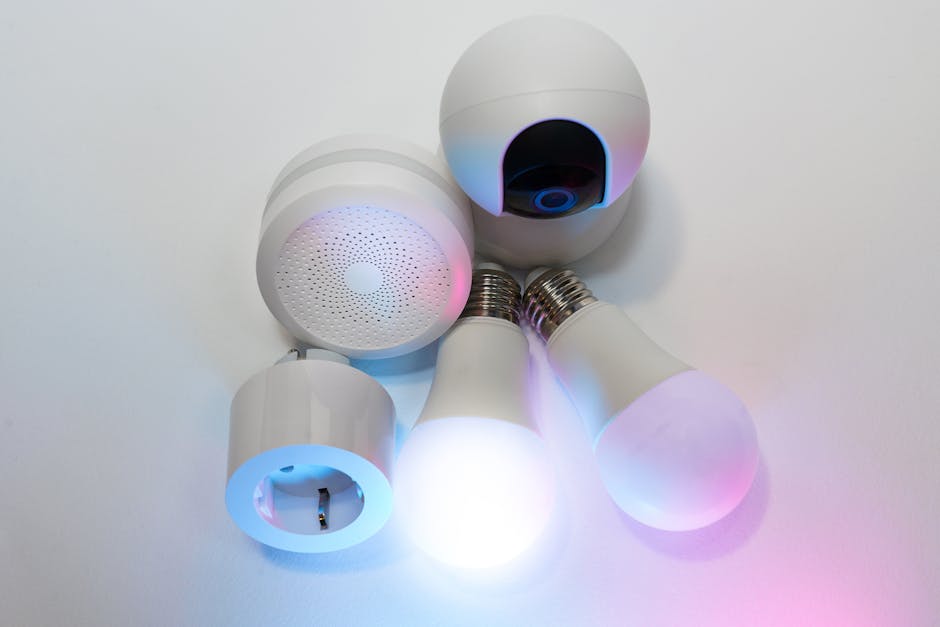
Smart bulbs like the Philips Hue White Ambiance (around $15 per bulb) let you set schedules, dim lights, and turn them off when not needed. Some models even adjust color temperature throughout the day to support natural sleep cycles. While the upfront cost is higher than standard LEDs, the combination of efficiency and automation leads to long-term savings.
For tighter budgets, brands like Sengled and GE Cync offer smart bulbs under $10. These may lack advanced features like color changing but still support scheduling and voice control.
Tip: Start with high-use areas like the living room or kitchen, where lights are frequently left on.
4. Smart Power Strips
Many electronics continue drawing power even when turned off. Smart power strips solve this by cutting power to devices in standby mode. They often include both always-on and switched outlets, so essential devices like routers stay powered while TVs or game consoles are fully shut down.
The Belkin Conserve Socket is a simple model that uses a remote to turn off power to connected devices. Exploring energy saving smart home devices reveals important insights. More advanced versions, like the TP-Link Kasa Smart Wi-Fi Power Strip, allow individual outlet control via app and support scheduling.
Using a smart power strip in a home office or entertainment center can eliminate phantom loads, potentially saving $100 or more per year on electricity.
5. Smart Water Leak Detectors
While not directly related to electricity, water leaks can lead to mold, structural damage, and increased humidity—forcing HVAC systems to work harder. Smart leak detectors help prevent these issues by sending alerts when moisture is detected.
Devices like the Fibaro Flood Sensor or Aqara Water Leak Sensor cost under $30 and connect to your smart home system. They’re ideal for placing under washing machines, near water heaters, or in basements. Early detection avoids costly repairs and reduces unnecessary energy use from damp environments.
How to Choose the Right Energy-Saving Smart Devices
With so many options available, it’s important to select devices that match your lifestyle and home setup. Here are key factors to consider:
- Compatibility: Ensure devices work with your existing smart home platform (e.g., Alexa, Google Home, Apple HomeKit). Most budget devices support Alexa and Google, but Apple users should verify HomeKit support.
- Ease of Use: Look for devices with intuitive apps and clear setup instructions. Complicated interfaces reduce the likelihood of consistent use.
- Energy Monitoring: Some smart plugs and thermostats provide usage data. This helps identify high-consumption devices and track savings over time.
- Installation Requirements: Most smart plugs and bulbs are plug-and-play, but thermostats may require wiring. Check your HVAC system type (e.g., conventional, heat pump) before purchasing.
- Return on Investment: Calculate how long it will take for a device to pay for itself. For example, a $20 smart plug that saves $3 per month on electricity breaks even in under seven months.
Real-World Energy Savings: What to Expect
The actual savings from smart home gadgets depend on your current habits, home size, and climate. However, studies and user reports provide realistic estimates:
| Device | Average Monthly Savings | Payback Period |
|---|---|---|
| Smart Thermostat | $10–$25 | 6–12 months |
| Smart Plugs (4-pack) | $5–$15 | 3–6 months |
| Smart LED Bulbs (6-pack) | $8–$20 | 6–10 months |
| Smart Power Strip | $3–$8 | 4–8 months |
These figures assume typical usage and average electricity rates. Homes with older appliances or higher energy consumption may see greater savings.
Common Mistakes to Avoid
Even the best devices won’t save energy if used incorrectly. Here are common pitfalls:
- Overcomplicating Automation: Setting too many rules or schedules can lead to confusion. Start with simple routines, like turning off lights at bedtime, and expand gradually.
- Ignoring Firmware Updates: Manufacturers release updates to improve performance and security. Enable automatic updates when possible.
- Buying Incompatible Devices: Mixing brands that don’t communicate can fragment your system. Stick to one ecosystem or choose devices that support universal standards like Matter.
- Forgetting to Use the App: A smart device only saves energy if you interact with it. Check usage reports monthly and adjust settings as needed.
Step-by-Step: Building Your Energy-Saving Smart Home
You don’t need to upgrade everything at once. Follow this phased approach to maximize savings without overspending:
- Audit Your Energy Use: Review your utility bill to identify peak usage times and high-consumption areas.
- Start with Smart Plugs: Use them for lamps, entertainment systems, and kitchen appliances. Set schedules to turn off devices overnight.
- Upgrade Lighting: Replace frequently used bulbs with smart LEDs. Begin with rooms where lights are often left on.
- Install a Smart Thermostat: Focus on heating and cooling, the largest energy expense in most homes.
- Add Monitoring and Alerts: Use power strips and leak detectors to prevent waste and damage.
- Review and Optimize: After three months, check your energy bill and app data. Adjust schedules or add devices as needed.
Future-Proofing Your Smart Home
As smart home technology evolves, new standards like Matter are making devices more interoperable. Matter ensures that gadgets from different brands can work together seamlessly, reducing compatibility issues.
When shopping, look for devices labeled “Works with Matter” to ensure long-term usability. This is especially important if you plan to expand your system over time.
Additionally, consider energy-efficient certifications like ENERGY STAR. While not all smart devices carry this label, it’s a reliable indicator of efficiency for thermostats, lights, and power strips.
FAQ
Do smart home gadgets really save money on energy bills?
Yes, when used consistently, smart devices can reduce energy bills by 5–15% annually. Savings depend on usage habits, device type, and local energy rates. Thermostats and smart plugs typically offer the fastest return on investment.
Are affordable smart home devices reliable?
Many budget-friendly models from reputable brands like TP-Link, Honeywell, and GE perform reliably. Read reviews and choose devices with at least a one-year warranty. Avoid extremely cheap, no-name brands that may lack security updates or app support.
Do I need a hub for these devices?
Most affordable smart plugs, bulbs, and thermostats connect directly to Wi-Fi and don’t require a hub. However, some sensors and advanced systems may need a central hub for full functionality. Check product specifications before buying.
Final Thoughts
affordable smart home gadgets that save energy daily offer a practical, low-cost way to reduce utility bills and environmental impact. By automating lighting, heating, and appliance use, these devices help eliminate waste without requiring major lifestyle changes. Start with simple upgrades like smart plugs or LED bulbs, then expand based on your needs and savings. With careful selection and consistent use, even small investments can lead to meaningful long-term benefits.