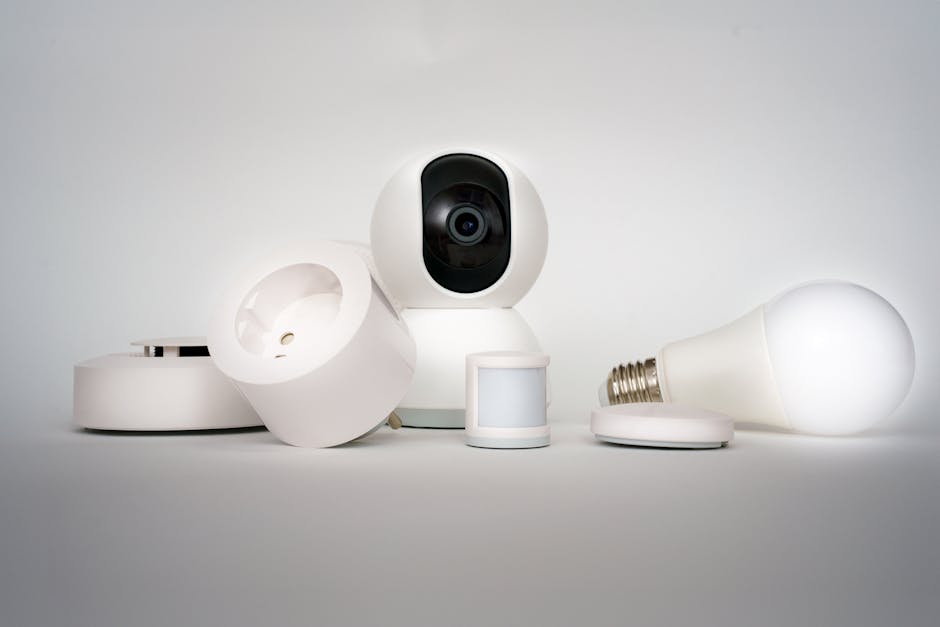
Top Smart Home Devices for Beginners Setup Guide
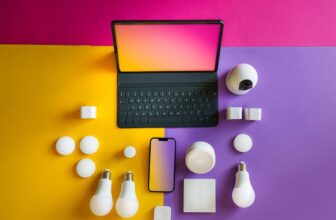
If you’re new to smart home technology, getting started doesn’t have to be overwhelming. Exploring smart home devices beginners reveals important insights. The right devices can simplify daily routines, improve home security, and help you save on energy—all with minimal setup. This guide walks you through the top smart home devices for beginners, offering clear recommendations, step-by-step installation tips, and practical advice to help you build a connected home without confusion or unnecessary complexity.
Why Start with Smart Home Devices?
Smart home systems are no longer just for tech enthusiasts. Today’s devices are designed for ease of use, affordability, and compatibility. Whether you want to control your lights with your voice, monitor your home remotely, or automate your thermostat, there’s a beginner-friendly solution. The key is choosing devices that work well together and integrate smoothly into your existing lifestyle.
Choosing Your First Smart Home Hub
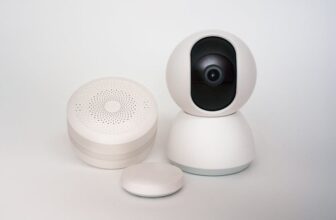
A smart home hub acts as the central command center for your devices. It allows different products—like lights, locks, and sensors—to communicate with each other and with your smartphone or voice assistant.
Top Hub Options for Beginners
- Google Nest Hub (2nd Gen): Great for voice control via Google Assistant, with a built-in screen for video calls, recipes, and camera feeds.
- Amazon Echo (4th Gen): Ideal if you prefer Alexa, offering strong smart home integration and a built-in Zigbee hub for direct device pairing.
- Apple HomePod mini: Best for iPhone users already in the Apple ecosystem, supporting HomeKit for secure, private automation.
Setup Tip: Start with one hub that matches your phone’s operating system. Android users often prefer Google, while iPhone owners benefit from Apple’s seamless integration.
Essential Smart Home Devices for Beginners
Once you have a hub, it’s time to add devices that deliver immediate value. Focus on reliability, ease of installation, and compatibility with your chosen platform.
Smart Lights: The Easiest Entry Point
Smart bulbs and switches are among the simplest ways to begin automating your home. They require no rewiring and can be controlled remotely or scheduled.
- Philips Hue White and Color Ambiance: Highly reliable, vibrant colors, and excellent app control. Works with Alexa, Google Assistant, and HomeKit.
- LIFX Mini White to Warm: No hub required—connects directly to Wi-Fi. Great for mood lighting with adjustable warmth.
- TP-Link Kasa Smart Bulb: Budget-friendly option with solid performance and easy setup via the Kasa app.
Installation Note: Screw in the bulb like a regular one, then use the manufacturer’s app to connect it to your Wi-Fi and hub. Most take under five minutes.
Smart Thermostats: Save Energy from Day One
Heating and cooling account for nearly half of home energy use. A smart thermostat learns your habits and adjusts temperatures automatically to save money.
- Google Nest Learning Thermostat: Learns your schedule and preferences over time. Includes remote sensors for balanced heating.
- Ecobee SmartThermostat with Voice Control: Built-in Alexa speaker and room sensors improve accuracy. Works with most HVAC systems.
Warning: Check compatibility with your heating system before buying. Most smart thermostats require a C-wire (common wire) for power. If you don’t have one, consider models like the Ecobee that include a power extender kit.
Smart Plugs: Turn Any Appliance into a Smart Device
Smart plugs are perfect for beginners because they require no installation. Just plug them into an outlet, connect your device, and control it remotely.
- Kasa Smart Wi-Fi Plug: Affordable, compact, and reliable. Supports scheduling and voice control.
- TP-Link Tapo P100: Energy monitoring feature shows how much power your devices are using.
- Wemo Mini Smart Plug: Works with Apple HomeKit out of the box—ideal for iPhone users.
Use Case Example: Plug in a coffee maker and schedule it to turn on at 7 a.m. every weekday. Or connect a fan and turn it off remotely when you forget.
Smart Door Locks: Upgrade Home Security
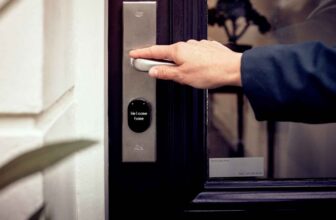
Smart locks let you lock and unlock doors using your phone, a keypad, or voice commands. Exploring smart home devices beginners reveals important insights. Some models also send alerts when someone enters.
- August Wi-Fi Smart Lock: Retrofits over your existing deadbolt—no need to replace the whole lock. Works with most standard doors.
- Schlage Encode Plus: Built-in Wi-Fi and HomeKit support. Keypad allows code-based entry for guests.
Installation Tip: Most smart locks take 15–30 minutes to install with basic tools. Always test the lock manually before relying solely on digital access.
Smart Cameras: Monitor Your Home Remotely
Indoor and outdoor cameras provide peace of mind by letting you check in from anywhere. Look for models with clear video, motion alerts, and two-way audio.
- Google Nest Cam (Indoor, Wired): 1080p video, night vision, and free activity zones. No subscription needed for basic alerts.
- Ring Stick Up Cam Battery: Wireless and weather-resistant. Can be mounted indoors or outdoors.
- Arlo Essential Spotlight Camera: Built-in spotlight and siren for added deterrence. Works with Alexa and Google Assistant.
Privacy Note: Always position cameras to avoid recording neighbors’ properties. Use strong passwords and enable two-factor authentication on your account.
Setting Up Your Smart Home: Step-by-Step
Follow these steps to ensure a smooth and secure setup process.
- Plan Your Network: Ensure your Wi-Fi covers all areas where devices will be placed. Consider a mesh network if you have a large home.
- Start with One Ecosystem: Stick to devices that work with your hub (e.g., Google, Alexa, or HomeKit) to avoid compatibility issues.
- Install the Hub First: Set up your smart speaker or display and connect it to your Wi-Fi.
- Add Devices Gradually: Begin with lights or plugs, then expand to locks, cameras, and thermostats.
- Name Devices Clearly: Use specific names like “Living Room Light” instead of “Light 1” to avoid confusion during voice commands.
- Test Automation: Create simple routines, like “Good Morning” to turn on lights and start the coffee maker.
Common Mistakes to Avoid
Even simple setups can go wrong if you overlook key details.
- Buying Incompatible Devices: Not all smart products work together. Always check compatibility lists before purchasing.
- Ignoring Firmware Updates: Regular updates improve security and add features. Enable auto-updates when possible.
- Overloading Your Wi-Fi: Too many devices on one network can cause lag. Use a dual-band router and assign smart devices to the 2.4 GHz band when possible.
- Skipping Security Basics: Change default passwords, use unique credentials, and enable two-factor authentication on all accounts.
Expanding Your Smart Home Over Time
Once you’re comfortable with the basics, consider adding more advanced devices like smart blinds, leak detectors, or voice-controlled appliances. The key is to build incrementally, focusing on needs rather than trends.
For example, if you often worry about pipes freezing in winter, a smart water leak sensor can alert you before damage occurs. Or if you want better sleep, smart blackout shades can open gradually at sunrise.
Final Thoughts on Smart Home Devices for Beginners
Starting a smart home doesn’t require a full renovation or deep technical knowledge. By choosing the right smart home devices for beginners—like smart lights, plugs, and a reliable hub—you can enjoy convenience, security, and energy savings right away. Focus on compatibility, ease of use, and gradual expansion to create a system that fits your life.
FAQ
What’s the easiest smart home device to start with?
Smart plugs are the easiest entry point. They require no installation, work with most appliances, and can be controlled via app or voice within minutes.
Do I need a hub for every smart device?
No. Many devices connect directly to Wi-Fi (like smart bulbs and plugs). However, a hub like Google Nest or Amazon Echo simplifies control and enables advanced automation across multiple devices.
Are smart home devices secure?
Most reputable brands use encryption and regular updates to protect your data. To stay safe, use strong passwords, enable two-factor authentication, and avoid sharing access with untrusted users.