Smart Home Gadgets for Remote Control and Automation
Smart home gadgets for remote control and automation are transforming how we manage lighting, security, climate, and daily routines from anywhere. Exploring smart home automation gadgets reveals important insights. Whether you’re at work, on vacation, or just relaxing on the couch, these devices let you monitor and adjust your home environment through a smartphone app, voice commands, or automated schedules. From smart plugs that turn ordinary appliances into connected devices to intelligent thermostats that learn your habits, the right gadgets can boost convenience, save energy, and enhance security. This guide explores the most practical and reliable options available today, helping you build a smarter, more responsive home without unnecessary complexity.
Why Automate Your Home? The Benefits of Remote Control
Home automation isn’t just about convenience—it’s about efficiency, safety, and long-term savings. Remote access allows you to respond quickly to unexpected situations, like turning off a forgotten coffee maker or checking if a door was left unlocked. Automation reduces human error by handling repetitive tasks, such as turning off lights at bedtime or adjusting the thermostat when you leave for the day. Over time, these small actions add up to noticeable reductions in energy bills and improved peace of mind.
For families, automation can mean setting up routines that help children follow bedtime schedules or ensuring elderly relatives stay safe with motion-sensing lighting. For frequent travelers, remote monitoring offers reassurance that everything at home is secure. The key is choosing devices that integrate well, respond reliably, and don’t require constant troubleshooting.
Top Categories of Smart Home Gadgets for Remote Control
Not all smart devices are created equal. The most effective systems focus on core areas: lighting, climate, security, and energy management. Below are the essential categories to consider when building your automated home setup.
Smart Lighting Systems
Smart bulbs and switches allow you to control brightness, color, and timing remotely. Brands like Philips Hue, LIFX, and TP-Link Kasa offer bulbs that connect via Wi-Fi or Zigbee and work with major voice assistants like Alexa, Google Assistant, and Apple HomeKit. You can schedule lights to turn on at sunset, dim gradually before bedtime, or simulate occupancy when you’re away.
For renters or those who don’t want to rewire, smart bulbs are an easy entry point. Homeowners may prefer smart switches, which control entire circuits and work with existing bulbs. A smart switch like the Lutron Caséta, for example, can be installed in minutes and integrates with motion sensors for hands-free operation.
One common mistake? Overcomplicating scenes. Start simple: “Good Morning” turns on kitchen and bathroom lights; “Movie Night” dims the living room. Avoid creating too many custom settings early on—most users only need three to five reliable routines.
Smart Thermostats for Climate Control
Smart thermostats like the Google Nest, Ecobee, and Honeywell Home T9 learn your schedule and adjust temperatures automatically. They use geofencing to detect when you’re heading home and preheat or cool your space accordingly. Remote access lets you tweak settings from your phone, so you’re never stuck in a cold house after a long flight.
These devices can reduce heating and cooling costs by up to 10–12% annually, according to manufacturer data and independent studies. The savings come from avoiding unnecessary runtime when no one is home and optimizing temperature shifts based on occupancy patterns.
Installation varies by model. Most Nest and Ecobee thermostats require a C-wire (common wire) for stable power. If your HVAC system lacks one, you may need an adapter or professional help. Always check compatibility before buying—some older systems aren’t supported.
Smart Security Devices
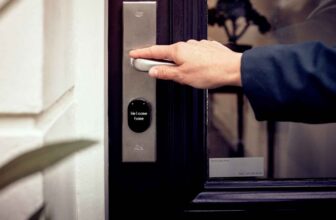
Security is a top reason people invest in smart home technology. Key gadgets include video doorbells, smart locks, and indoor/outdoor cameras. The Ring Video Doorbell Pro 2, for instance, sends motion alerts and live video to your phone, letting you see and speak to visitors remotely. August Smart Lock Pro allows keyless entry and grants temporary access to guests or service providers.
For full coverage, pair cameras with motion sensors and smart lighting. A system like Arlo Pro 5S uses color night vision and AI detection to reduce false alarms from animals or passing cars. Many devices store footage locally or in encrypted cloud storage, but always review privacy policies—some brands share data with third parties unless you opt out.
Warning: Not all smart locks are equally secure. Look for models with encryption, tamper alerts, and backup physical keys. Avoid cheap, no-name brands that may have vulnerabilities hackers can exploit.
Smart Plugs and Power Strips
Smart plugs are among the most affordable and versatile entry points into home automation. Devices like the Wemo Mini or Kasa Smart Plug let you turn any outlet into a remotely controlled one. Plug in a lamp, fan, or coffee maker, and control it via app or voice command.
Use cases go beyond convenience. Exploring smart home automation gadgets reveals important insights. You can set a “vacation mode” that randomly turns lights on and off to deter burglars. Or schedule a slow cooker to start dinner while you’re still at work. Some advanced plugs, like the TP-Link Kasa KP303, include energy monitoring so you can track how much power your devices consume.
One limitation: smart plugs don’t work with high-wattage appliances like space heaters or refrigerators. Always check the device’s maximum load rating before use.
Central Hubs and Voice Assistants
While many gadgets connect directly to Wi-Fi, a central hub can improve reliability and enable advanced automation. Hubs like the Samsung SmartThings Hub or Hubitat Elevation act as a bridge between different protocols (Zigbee, Z-Wave, Wi-Fi) and allow devices from different brands to work together.
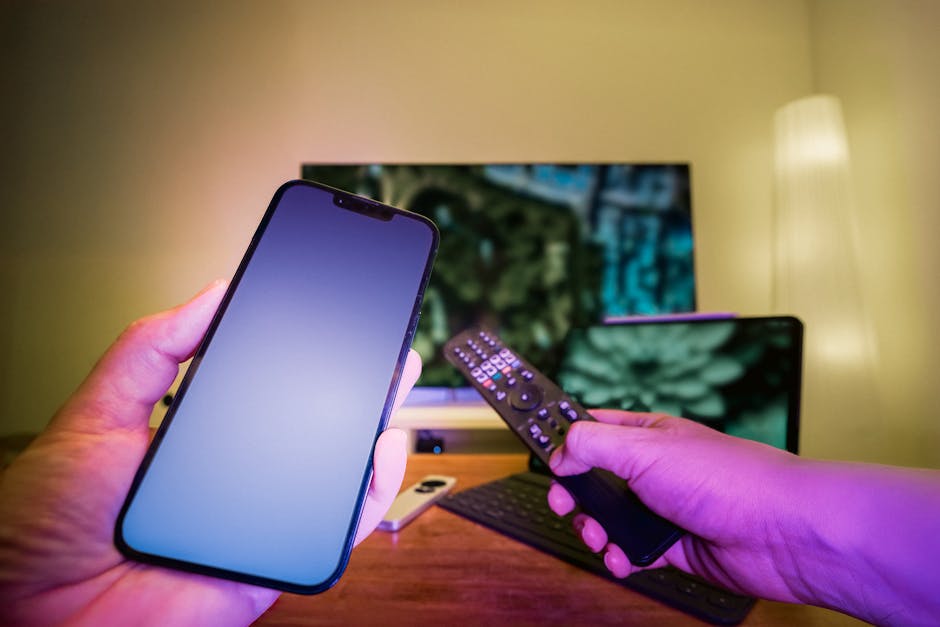
Voice assistants—Amazon Alexa, Google Assistant, Apple Siri—are essential for hands-free control. They let you say, “Turn off all lights” or “Lock the front door” without touching your phone. For best results, place smart speakers in central locations and avoid placing them near windows or in noisy rooms.
Tip: Use routines to combine actions. Saying “I’m leaving” could trigger a routine that locks doors, turns off lights, adjusts the thermostat, and arms the security system—all with one command.
How to Build Your Smart Home Step by Step
Jumping into home automation can feel overwhelming. Start small, focus on high-impact areas, and expand gradually. Here’s a practical roadmap:
- Assess your needs: Identify pain points—lights left on, forgotten locks, high energy bills. Prioritize solutions that address these directly.
- Choose a platform: Decide whether you’ll build around Alexa, Google, or Apple. Stick to one ecosystem early on to avoid compatibility issues.
- Start with basics: Begin with a smart speaker, a few smart bulbs, and a smart plug. Test how they work together before adding more.
- Add security next: Install a video doorbell or smart lock. These offer immediate value and peace of mind.
- Integrate climate control: Upgrade to a smart thermostat once you’re comfortable with the system.
- Automate routines: Use app-based scenes or IFTTT (If This Then That) to create custom triggers, like turning on lights when motion is detected.
Avoid the trap of buying too many gadgets at once. A cluttered system with overlapping functions leads to confusion and frustration. Simplicity and reliability matter more than having every possible feature.
Common Pitfalls and How to Avoid Them
Even well-planned smart homes can run into issues. Here are frequent problems and how to sidestep them:
- Poor Wi-Fi coverage: Many smart devices rely on strong, stable connections. If your router is in the basement and your smart lock is in the attic, it may drop offline. Use Wi-Fi extenders or a mesh network (like Eero or Google Nest Wi-Fi) to improve coverage.
- Over-automation: Setting up complex rules that rarely trigger can make your system feel unreliable. Stick to routines you’ll actually use daily.
- Privacy concerns: Cameras and microphones collect sensitive data. Disable features you don’t need, enable two-factor authentication, and regularly update firmware.
- Battery life: Devices like door sensors and motion detectors run on batteries. Choose models with long lifespans (1+ years) and low-battery alerts.
- Firmware updates: Outdated software can cause bugs or security flaws. Enable automatic updates when possible, or check for updates monthly.
Also, be cautious with “smart” appliances like refrigerators or washing machines. While they offer remote monitoring, their core functions rarely benefit from connectivity. Focus automation on devices where remote control adds clear value.
Future-Proofing Your Smart Home
Technology evolves quickly. To avoid obsolescence, choose devices with open standards and strong manufacturer support. Zigbee and Z-Wave protocols are more reliable than Wi-Fi for low-power devices and are less likely to become outdated. Look for brands with a track record of long-term software updates.
Matter, a new smart home standard backed by Apple, Google, Amazon, and others, promises better compatibility across brands. Devices with Matter support will work seamlessly regardless of ecosystem, reducing vendor lock-in. As of 2024, many new gadgets are Matter-certified—prioritize these when upgrading.
FAQ
Can I control smart home gadgets without Wi-Fi?
Most require an internet connection for remote access, but some hubs support local control via Bluetooth or Z-Wave. If your Wi-Fi goes down, local routines may still work, but remote control won’t.
Are smart home devices secure from hacking?
Reputable brands use encryption and regular updates to protect data. Reduce risk by using strong passwords, enabling two-factor authentication, and avoiding public Wi-Fi for management.
Do I need a hub for smart home automation?
Not always. Wi-Fi devices like smart bulbs and plugs work directly with apps. But a hub improves reliability, enables cross-brand compatibility, and supports advanced automation with Zigbee or Z-Wave devices.
Final Thoughts
Smart home gadgets for remote control and automation offer real benefits when chosen and used wisely. Focus on solving everyday problems—saving time, reducing energy use, enhancing security—rather than chasing novelty. Start with a few reliable devices, build routines that fit your lifestyle, and expand only when needed. With the right approach, your home can become more responsive, efficient, and comfortable without becoming a tech burden.