Smart Home Gadgets for Beginners Without Hub Setup
If you’re new to smart home technology but don’t want the hassle of installing a central hub, you’re in the right place. Many modern smart home gadgets now connect directly to your Wi-Fi network, eliminating the need for a separate hub. This means easier setup, lower costs, and fewer compatibility concerns. From smart bulbs to voice-controlled plugs, there are plenty of beginner-friendly devices that work right out of the box with just your smartphone and Wi-Fi.
Why Choose Hub-Free Smart Home Devices?
Traditional smart home systems often rely on a central hub to connect devices like lights, sensors, and locks. While hubs offer advanced control, they add complexity and cost. Hub-free gadgets communicate directly with your router using Wi-Fi, Bluetooth, or other protocols, making them ideal for beginners.
Without a hub, you avoid compatibility issues and reduce clutter. You also gain faster setup—most devices take under five minutes to install. Plus, many hub-free options integrate with popular voice assistants like Amazon Alexa or Google Assistant, giving you hands-free control without extra hardware.
Top Smart Home Gadgets That Don’t Require a Hub
1. Smart Plugs
Smart plugs are among the easiest ways to start automating your home. Simply plug one into an outlet, connect your lamp or appliance, and control it via an app. No wiring or hub needed.
Popular models like the Kasa Smart Plug or TP-Link Kasa Mini connect directly to Wi-Fi. You can turn devices on or off remotely, set schedules, and even monitor energy usage. They’re perfect for beginners because they require no technical skill—just plug, download the app, and follow the prompts.
2. Smart Light Bulbs
Wi-Fi-enabled smart bulbs like Philips Hue White Ambiance (without the Hue Bridge) or LIFX bulbs work independently of a hub. These bulbs connect straight to your home network and offer features like dimming, scheduling, and color changes.
Unlike older Zigbee-based bulbs that require a bridge, newer Wi-Fi models are plug-and-play. Just screw in the bulb, open the app, and connect it to your Wi-Fi. You can group lights by room, create scenes, and control them with voice commands through Alexa or Google Home.
3. Smart Doorbells
Video doorbells like the Ring Video Doorbell (2nd Gen) or Eufy Video Doorbell operate over Wi-Fi and don’t need a hub. They provide real-time alerts, two-way audio, and HD video streaming directly to your phone.
Installation is straightforward: mount the device, connect it to power (battery or wired), and link it to your Wi-Fi through the app. Some models include local storage, so you avoid monthly cloud fees. These are excellent for enhancing home security without complex setup.
4. Smart Thermostats
Wi-Fi thermostats like the Google Nest Thermostat or Ecobee SmartThermostat let you control your home’s temperature from anywhere. They connect directly to your router and learn your habits over time to save energy.
Installation typically involves replacing your old thermostat and connecting a few wires. Most come with step-by-step guides and compatibility checkers. Once online, you can adjust settings via app or voice, set schedules, and receive energy reports—all without a hub.
5. Smart Cameras
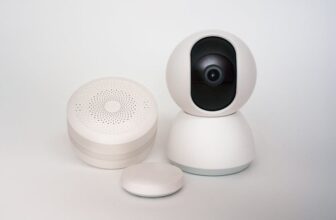
Indoor and outdoor security cameras like the Wyze Cam or Blink Mini are designed for easy setup. They use Wi-Fi to stream footage to your phone and offer motion detection, night vision, and cloud or local storage options.
Many models are battery-powered or plug into standard outlets, so no hardwiring is needed. You can view live feeds, receive alerts, and even talk through the camera. These are ideal for monitoring pets, checking on kids, or boosting home security.
6. Smart Speakers with Built-In Displays
Devices like the Amazon Echo Show or Google Nest Hub combine voice control with a screen, acting as a central interface for your smart home—without needing a separate hub.
They connect to Wi-Fi and support a wide range of compatible devices. You can view camera feeds, control lights, play music, and make video calls—all from one device. Their touchscreen interface makes them especially user-friendly for beginners.
7. Smart Locks
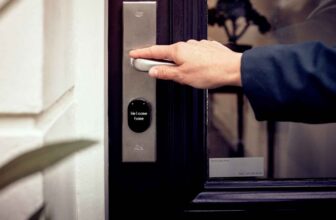
Wi-Fi smart locks like the August Wi-Fi Smart Lock or Yale Assure Lock SL allow keyless entry and remote access. They attach to your existing deadbolt and connect directly to your network.
You can lock or unlock your door from your phone, share temporary access codes, and receive notifications when someone enters. No hub is required, and installation takes about 10 minutes with basic tools.
How to Set Up Hub-Free Smart Devices in 5 Easy Steps
Getting started with smart home gadgets doesn’t have to be complicated. Follow these simple steps to set up your first device in under 10 minutes.
Step 1: Check Your Wi-Fi Network
Ensure your home Wi-Fi is stable and supports 2.4 GHz frequency. Most smart devices only work on 2.4 GHz, not 5 GHz. If your router broadcasts both bands under one name, consider separating them for easier setup.
Also, verify that your network isn’t using advanced security features like WPA3 or enterprise encryption, which can block some devices. Stick with WPA2 for best compatibility.
Step 2: Download the Manufacturer’s App
Each smart device comes with its own app—usually available on iOS and Android. Download it before starting setup. Popular apps include Kasa, Google Home, Amazon Alexa, and Wyze.
Create an account if required. Some apps allow guest access, but signing up enables full features like remote control and automation.
Step 3: Plug In or Install the Device
For smart plugs or bulbs, simply plug them in or screw them in. For cameras or doorbells, follow the mounting instructions. Most devices will power on automatically and enter pairing mode.
Look for indicator lights—usually blinking blue or green—to confirm the device is ready to connect.
Step 4: Connect to Wi-Fi Through the App
Open the app and follow the on-screen prompts to add a new device. The app will scan for nearby gadgets or ask you to press a button on the device to start pairing.
Enter your Wi-Fi password when prompted. The device will connect within a minute or two. Some apps use Bluetooth for initial setup, which speeds up the process.
Step 5: Test and Customize
Once connected, test the device by turning it on or off through the app. Try voice commands if using Alexa or Google Assistant. Set up routines, schedules, or automation rules to make the most of your new gadget.
For example, program your smart plug to turn on a coffee maker at 7 a.m., or set your lights to dim at sunset.
Common Mistakes to Avoid When Starting Out
Even simple setups can go wrong if you overlook a few key details. Avoid these common pitfalls to ensure a smooth experience.
Using the Wrong Wi-Fi Band
Many beginners accidentally try to connect a 2.4 GHz-only device to a 5 GHz network. This won’t work. Check your device’s specs and ensure your router’s 2.4 GHz band is active and accessible.
If your router combines both bands, log into its settings and split them. This makes it easier for smart devices to find and connect to the correct network.
Overloading Your Wi-Fi Network
Each smart device uses a small amount of bandwidth, but too many can slow down your network. Avoid connecting more than 10–15 devices unless your router supports high device counts.
Consider upgrading to a dual-band or tri-band router if you plan to expand your smart home. Mesh systems like Google Nest Wifi can also improve coverage and stability.
Ignoring Firmware Updates
Smart devices receive regular updates to fix bugs and improve security. Enable automatic updates in the app settings to keep your gadgets running smoothly.
Outdated firmware can cause connectivity issues or leave your devices vulnerable to hacking. Check for updates monthly, especially after major app changes.
Not Securing Your Network
Smart devices can be entry points for cyberattacks if your network isn’t secure. Use a strong Wi-Fi password and enable WPA2 encryption.
Avoid using default login credentials on apps or devices. Change passwords regularly and consider setting up a guest network for smart gadgets to isolate them from personal devices.
Best Brands for Beginner-Friendly Smart Home Devices
Not all smart home brands are created equal. Some prioritize ease of use, while others focus on advanced features. For beginners, simplicity and reliability matter most.
Kasa by TP-Link
Kasa offers affordable, hub-free smart plugs, bulbs, and cameras. Their app is intuitive, and devices connect quickly to Wi-Fi. They’re ideal for first-time users who want reliable performance without complexity.
Wyze
Wyze provides budget-friendly smart cameras, sensors, and lights. Their devices are easy to set up and often include free cloud storage. The Wyze app is clean and well-organized, making it beginner-friendly.
Google Nest
Google’s Nest line includes thermostats, cameras, and doorbells that work seamlessly with Google Assistant. Setup is guided through the Google Home app, which supports a wide range of third-party devices.
Amazon Echo
Echo devices like the Echo Dot or Echo Show double as smart home controllers. They support thousands of Wi-Fi and Zigbee devices (with some models acting as hubs), but many work independently. The Alexa app simplifies device discovery and routine creation.
Voice Control Without a Hub: How It Works
One of the biggest advantages of hub-free smart devices is voice control. You can use Amazon Alexa, Google Assistant, or Apple Siri to manage your gadgets—no hub required.
Most Wi-Fi smart devices are compatible with at least one voice platform. During setup, link your device to your preferred assistant through the app. Once connected, you can say commands like “Alexa, turn off the living room lights” or “Hey Google, lock the front door.”
Voice control works best when your smart speaker or display is on the same Wi-Fi network as your devices. Ensure your microphone is enabled and your device names are clear and distinct to avoid confusion.
Expanding Your Smart Home Over Time
Starting with one or two devices is smart. As you gain confidence, you can expand your system gradually. Begin with high-impact items like smart plugs or lights, then add cameras, locks, or sensors.
Look for devices that support the same app or ecosystem. For example, sticking with Kasa or Wyze products makes management easier. You can also mix brands if they all work with Google Home or Alexa.
Automation grows more powerful as you add devices. Create routines like “Good Morning” that turns on lights, starts the coffee maker, and reads the weather. Or set a “Leaving Home” routine that locks doors and turns off all lights.
Are Hub-Free Devices Secure?
Security is a valid concern with any internet-connected device. Hub-free gadgets are generally safe if you follow best practices.
Choose reputable brands with a track record of updates and transparency. Avoid cheap, unknown brands that may lack proper encryption or support.
Enable two-factor authentication on your app accounts. Regularly review connected devices and remove any you no longer use. Keep your router’s firmware updated to protect your entire network.
Final Thoughts: Start Simple, Stay Flexible
Smart home technology doesn’t have to be intimidating. With hub-free gadgets, beginners can enjoy automation, convenience, and security without complex setups or extra hardware.
Begin with one or two devices that solve a real problem—like a smart plug for your lamp or a doorbell camera for safety. As you learn, expand thoughtfully and prioritize ease of use and compatibility.
The goal isn’t to automate everything at once. It’s to make your home more comfortable, efficient, and secure—one simple device at a time.
FAQ
Can I use smart home devices without a smartphone?
Most hub-free smart devices require a smartphone app for initial setup and control. However, once configured, some can be managed via voice commands or physical buttons. A smartphone is recommended for full functionality.
Do smart devices work if the internet goes down?
Most Wi-Fi smart devices lose remote access when the internet is down. Local functions like voice control or scheduled routines may still work if your router is on, but app-based control won’t. Some devices offer limited offline modes, but full operation requires internet.
Are hub-free smart devices more expensive than hub-based ones?
Not necessarily. While individual Wi-Fi devices may cost slightly more than Zigbee counterparts, you save money by avoiding the hub. Overall, hub-free setups are often more affordable for beginners, especially when starting small.