Smart Home Devices for Wireless Home Security Systems
Wireless home security systems have transformed how homeowners protect their properties. By integrating smart home devices, you gain real-time monitoring, remote access, and automated alerts—all without the hassle of complex wiring. These systems rely on Wi-Fi, Bluetooth, or Zigbee connections to link sensors, cameras, and alarms into a unified network. Whether you’re safeguarding a small apartment or a large house, smart devices offer scalable, user-friendly solutions that adapt to your lifestyle.
The core advantage lies in convenience and control. With a smartphone app, you can check live camera feeds, lock doors, or receive instant notifications if motion is detected. Many systems also support voice commands through Alexa, Google Assistant, or Siri. This level of integration not only enhances security but also streamlines daily routines.
How Wireless Security Systems Work
Wireless home security systems operate by connecting various smart devices through a central hub or directly to your home network. Each device—like door sensors, motion detectors, or cameras—communicates wirelessly using protocols such as Wi-Fi, Z-Wave, or Zigbee. Data is transmitted securely to a cloud server or local storage, allowing you to access it remotely via an app.
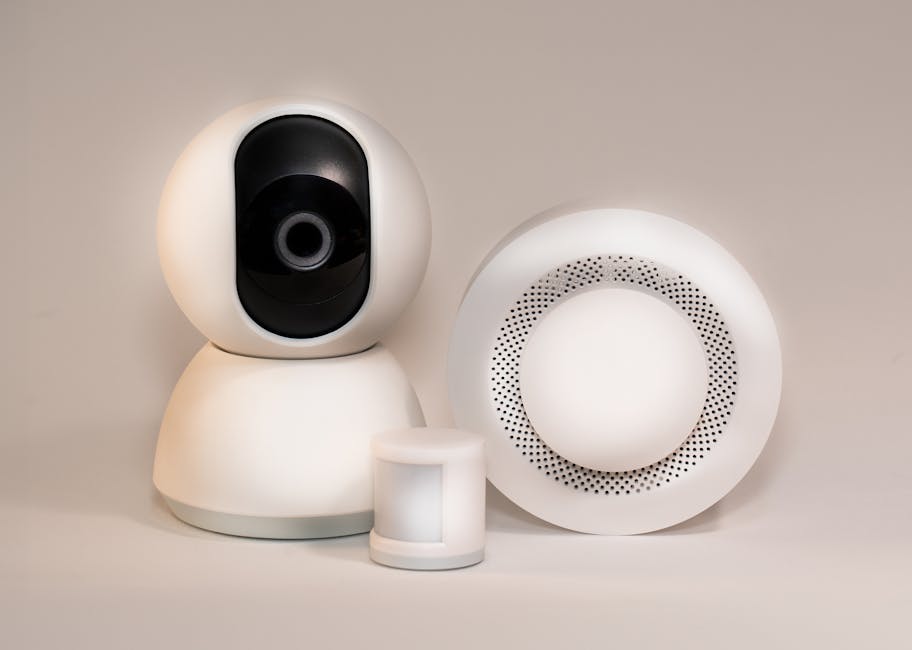
Most systems include a base station that acts as the brain of the operation. It manages communication between devices and often includes a built-in siren and battery backup. When a sensor is triggered, the hub sends an alert to your phone and may activate lights, sound an alarm, or notify a monitoring service.
Key Components of a Wireless System
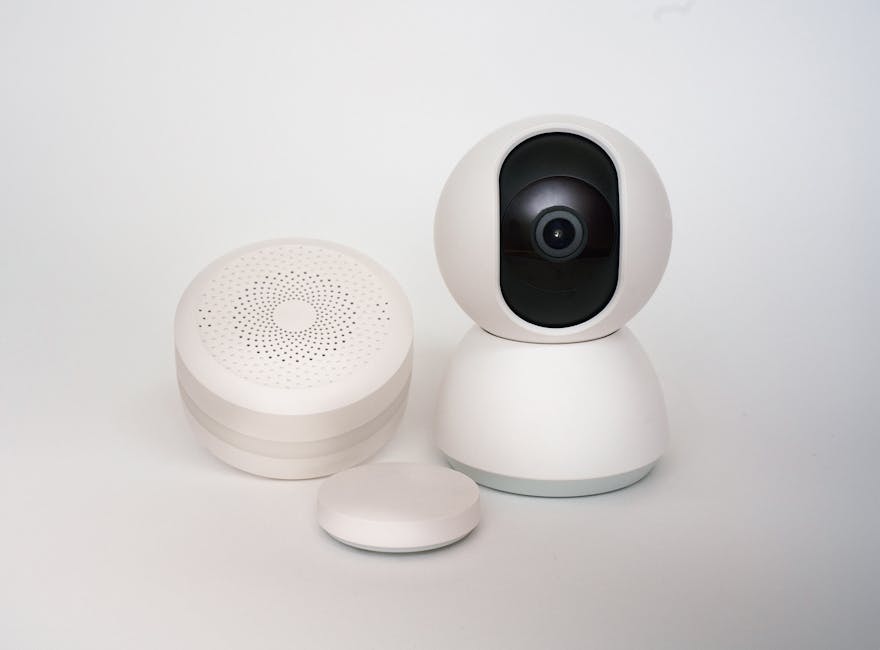
Understanding the essential parts helps you build an effective setup. Door and window sensors detect openings and are typically the first line of defense. Motion sensors scan for movement in key areas like hallways or living rooms. Security cameras provide visual verification and can record footage day or night.
Smart locks allow remote entry and can generate temporary codes for guests. Glass break sensors listen for the sound of shattering windows. Environmental sensors monitor for smoke, carbon monoxide, or water leaks. Together, these devices create a layered defense that covers both intrusion and safety hazards.
Connectivity and Power Options
Reliable connectivity is crucial. Wi-Fi offers broad compatibility and high bandwidth, ideal for cameras and video doorbells. However, it can be vulnerable to outages. Z-Wave and Zigbee are low-power, mesh-network protocols that extend range by allowing devices to relay signals. They’re more stable but may require a compatible hub.
Most wireless devices run on batteries, which means less clutter and easier installation. Rechargeable batteries last several months, and many devices send low-battery alerts. Some models support solar charging, especially outdoor cameras. Always check battery life and replacement costs before purchasing.
Top Smart Home Devices for Security
Choosing the right devices depends on your specific needs. For front-door protection, a video doorbell like the Ring Video Doorbell or Google Nest Doorbell captures visitors and deters package thieves. These devices offer two-way audio, motion zones, and cloud storage for recorded clips.
Indoor and outdoor security cameras vary in features. The Arlo Pro 5S supports 2K video, color night vision, and local storage via a USB drive. The Eufy SoloCam S40 is completely wire-free and powered by a built-in solar panel. For budget-conscious buyers, the Wyze Cam v3 offers solid 1080p footage and color night vision at a lower price.
Smart Sensors and Detectors
Door and window sensors are simple but effective. The Aqara Door/Window Sensor uses Zigbee and integrates seamlessly with Apple HomeKit. It’s small, discreet, and lasts over two years on a single battery. For motion detection, the Philips Hue Motion Sensor doubles as a smart lighting trigger and works with multiple platforms.
Environmental monitoring adds another layer of safety. The First Alert Onelink Smoke + Carbon Monoxide Alarm connects to your phone and sends alerts even when you’re away. The Flo by Moen Smart Water Shutoff detects leaks and can automatically stop water flow to prevent flooding.
Smart Locks and Access Control
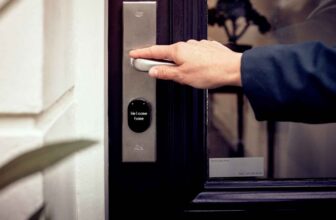
Smart locks eliminate the need for physical keys. The August Wi-Fi Smart Lock fits over your existing deadbolt and allows remote locking via app. The Schlage Encode Plus supports HomeKit and offers up to 100 access codes for family or guests. Both models include auto-lock features and tamper alerts.
For added convenience, consider a smart garage door opener like the Chamberlain MyQ. It lets you open or close your garage from anywhere and sends notifications when the door is left open. Pair it with a camera inside the garage for full visibility.
Setting Up Your Wireless Security System
Installation is typically DIY-friendly. Start by mapping out your home’s entry points and high-traffic areas. Place door sensors on all exterior doors and ground-floor windows. Install motion sensors in central locations like living rooms or stairwells, avoiding heat sources like vents or sunlight.
Position cameras to cover blind spots—front porch, backyard, driveway. Ensure they’re mounted high enough to avoid tampering but angled to capture faces. Use weatherproof models for outdoor use. Most devices come with adhesive strips or mounting hardware for quick setup.
Connecting to Your Network
Download the manufacturer’s app and follow the setup wizard. You’ll usually scan a QR code on the device and connect it to your Wi-Fi. For Z-Wave or Zigbee devices, pair them through a compatible hub like Samsung SmartThings or Hubitat. Keep your network secure with a strong password and enable WPA3 encryption if available.
Test each device after installation. Open a door to trigger the sensor, walk in front of a camera, or simulate a leak with the water sensor. Confirm that alerts arrive promptly on your phone. Adjust sensitivity settings if you get too many false alarms from pets or passing cars.
Integrating with Voice Assistants and Automation
Link your devices to Alexa, Google Assistant, or Siri for voice control. Say “Alexa, show me the front door” to view a live feed on an Echo Show. Create routines like “Goodnight” to lock doors, turn off lights, and arm the system with one command.
Use automation to enhance security. Set lights to turn on when motion is detected at night. Program cameras to record only when you’re away. Some systems allow geofencing, which arms or disarms based on your phone’s location. These smart behaviors reduce false alerts and improve efficiency.
Benefits of Going Wireless
Wireless systems offer unmatched flexibility. You can start small with a few sensors and expand over time. Adding a new camera or lock doesn’t require drilling or running cables. This makes them ideal for renters or those in older homes where wiring is difficult.
They’re also easier to relocate. If you move, simply uninstall and reinstall your devices. Many brands offer transferable warranties and cloud subscriptions. Wireless setups are less invasive and preserve your home’s aesthetics with minimal visible hardware.
Remote Monitoring and Alerts
One of the biggest advantages is remote access. Whether you’re at work or on vacation, you can check in anytime. Receive instant push notifications if a door opens or motion is detected. Some systems allow you to share access with family members or trusted neighbors.
Cloud storage ensures footage is saved even if a camera is damaged or stolen. Most services offer free rolling clips (7–30 days) or paid plans for longer retention. Local storage options like microSD cards or USB drives provide privacy but require manual management.
Scalability and Future-Proofing
Wireless systems grow with your needs. Start with a basic kit and add devices as your budget allows. Many platforms support third-party integrations, so you can mix brands. Look for devices that support open standards like Matter, which improves compatibility across ecosystems.
Regular firmware updates keep your system secure and add new features. Manufacturers often release improvements based on user feedback. This long-term support ensures your investment remains relevant and effective for years.
Common Challenges and How to Avoid Them
Signal interference can disrupt performance. Thick walls, metal objects, or competing Wi-Fi networks may weaken connections. Place your router centrally and consider a mesh Wi-Fi system to boost coverage. Avoid placing devices near microwaves or cordless phones.
Battery life varies by usage. Cameras with constant recording drain power quickly. Opt for models with activity zones or person detection to reduce unnecessary triggers. Rechargeable batteries are eco-friendly, but keep spares on hand for critical sensors.
Privacy and Data Security
Smart devices collect sensitive data, so security is paramount. Choose brands with strong encryption and transparent privacy policies. Enable two-factor authentication on your accounts. Regularly review app permissions and disable features you don’t use, like voice recording.
Avoid public Wi-Fi when accessing your system. Use a VPN if you must connect remotely. Change default passwords immediately and update firmware when prompted. These steps minimize the risk of unauthorized access.
False Alarms and Pet-Friendly Settings
False alerts are frustrating and can lead to alert fatigue. Adjust motion sensor sensitivity and set activity zones to ignore pets under 40 pounds. Use pet-immune models if you have large animals. Schedule quiet hours to avoid nighttime disturbances from passing cars or wildlife.
Test your system monthly. Replace batteries, clean camera lenses, and verify all devices are online. A well-maintained system is more reliable and less likely to fail when needed most.
Choosing the Right System for Your Home
Consider your home’s size, layout, and risk factors. A studio apartment may only need a door sensor and camera, while a multi-story house benefits from layered coverage. Evaluate your tech comfort—some systems require more setup than others.
Compare brands based on app quality, customer support, and subscription costs. Ring and SimpliSafe offer professional monitoring, while Eufy and Wyze emphasize local storage and no monthly fees. Read user reviews to gauge real-world reliability.
Budget Considerations
Prices range from under $100 for basic kits to over $500 for comprehensive setups. Factor in ongoing costs like cloud storage or monitoring services. Many systems offer free tiers with limited features. Look for sales during Black Friday or Prime Day to save.
DIY installation saves money compared to professional setups. However, some insurers offer discounts for monitored systems, which may offset monthly fees. Check with your provider to see if your setup qualifies.
Professional Monitoring vs. Self-Monitoring
Professional monitoring connects your system to a 24/7 response center. If an alarm triggers, they contact you and dispatch emergency services if needed. This adds peace of mind but comes with a monthly fee, typically $15–$30.
Self-monitoring relies on your phone alerts. It’s cost-effective and gives you full control, but you must respond promptly. Some systems allow hybrid models—self-monitor most of the time and add professional help during vacations.
Future Trends in Wireless Home Security
Artificial intelligence is improving detection accuracy. Newer cameras use AI to distinguish between people, animals, and vehicles, reducing false alerts. Facial recognition is emerging, though it raises privacy concerns and is not yet widely adopted.
Integration with smart city infrastructure is on the horizon. Imagine your system alerting local authorities automatically or syncing with neighborhood watch apps. Matter compatibility will simplify setup and improve device interoperability across brands.
Battery technology is advancing. Solid-state batteries promise longer life and faster charging. Solar-powered devices are becoming more efficient, especially for outdoor use. These innovations will make wireless systems even more reliable and sustainable.
Final Tips for Success
Start with a clear plan. Identify your top security concerns—break-ins, package theft, fire safety—and choose devices that address them. Don’t overbuy; a few well-placed devices are more effective than a cluttered setup.
Keep your system updated. Enable automatic firmware updates and review app notifications. Teach family members how to use the system and respond to alerts. Regular maintenance ensures long-term performance.
Remember, no system is foolproof. Combine technology with good habits—lock doors, use outdoor lighting, and get to know your neighbors. Smart home devices enhance security, but they work best as part of a broader strategy.
FAQ
Can wireless security systems work during a power outage?
Most wireless devices run on batteries and continue working during outages. The base station often includes a backup battery. However, if your internet goes down, remote access may be limited unless you have cellular backup.
Do I need a hub for my wireless security system?
It depends on the devices. Wi-Fi cameras and doorbells connect directly to your router. Z-Wave or Zigbee sensors usually require a hub like SmartThings or Hubitat to communicate with your phone and other smart devices.
Are wireless security systems easy to install?
Yes, most are designed for DIY installation. They use adhesive mounts or simple screws and connect via app-guided setup. No wiring or professional tools are needed, making them ideal for renters and beginners.