Smart Home Devices for Safety and Home Monitoring: A Practical Guide
Smart home devices for safety and home monitoring offer homeowners real-time alerts, remote access, and peace of mind by detecting threats like intrusions, fires, or leaks before they escalate. From video doorbells that show who’s at your front door to sensors that detect water or smoke, these tools integrate seamlessly into daily life. Whether you’re looking to deter break-ins, monitor elderly relatives, or protect your property while traveling, modern smart systems provide reliable, user-friendly solutions. This guide covers the most effective devices, how to choose the right setup, and key considerations for installation and privacy.
Why Invest in Smart Home Safety Devices?
Traditional home security often relies on reactive measures—alarms that sound after a break-in or smoke detectors that alert only when danger is already present. Smart home devices shift this model to proactive monitoring. They connect to your Wi-Fi network and smartphone, sending instant notifications the moment something unusual occurs. For example, a smart doorbell can alert you when a package is delivered or if someone lingers near your porch after dark. Motion sensors inside the home can distinguish between family members and potential intruders using geofencing technology.
Beyond security, these devices help prevent costly damage. A smart water leak detector placed near a washing machine or water heater can notify you of a leak within seconds—potentially saving thousands in repair costs. Similarly, smart smoke and carbon monoxide detectors offer earlier warnings and can alert you even when you’re not home.
Many systems also support integration with voice assistants like Alexa or Google Assistant, allowing hands-free control. With increasing affordability and ease of setup, smart safety devices are no longer a luxury but a practical upgrade for most households.
Top Smart Home Devices for Safety and Monitoring
Not all smart devices are created equal. Choosing the right combination depends on your home layout, lifestyle, and specific concerns. Below are the most effective categories and examples of reliable products.
1. Video Doorbells
Video doorbells are among the most popular smart safety devices. They replace your standard doorbell with a camera, microphone, and motion sensor. When someone approaches your door, the device sends a live video feed to your phone. You can speak to visitors remotely, review recorded clips, and receive alerts even if the doorbell isn’t pressed.
- Ring Video Doorbell Pro 2: Offers 1536p HD video, color night vision, and advanced motion zones. Works with Alexa and includes two-way talk.
- Google Nest Doorbell (Battery): Easy to install without wiring, includes familiar face detection (with Nest Aware subscription), and stores clips in the cloud.
When choosing a video doorbell, consider whether you prefer wired or battery-powered models, video resolution, field of view, and whether cloud storage fees fit your budget.
2. Indoor and Outdoor Security Cameras
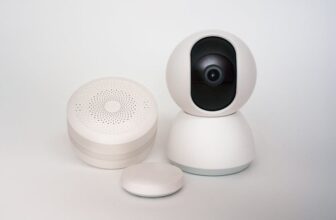
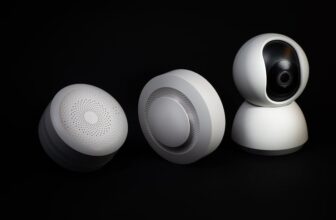
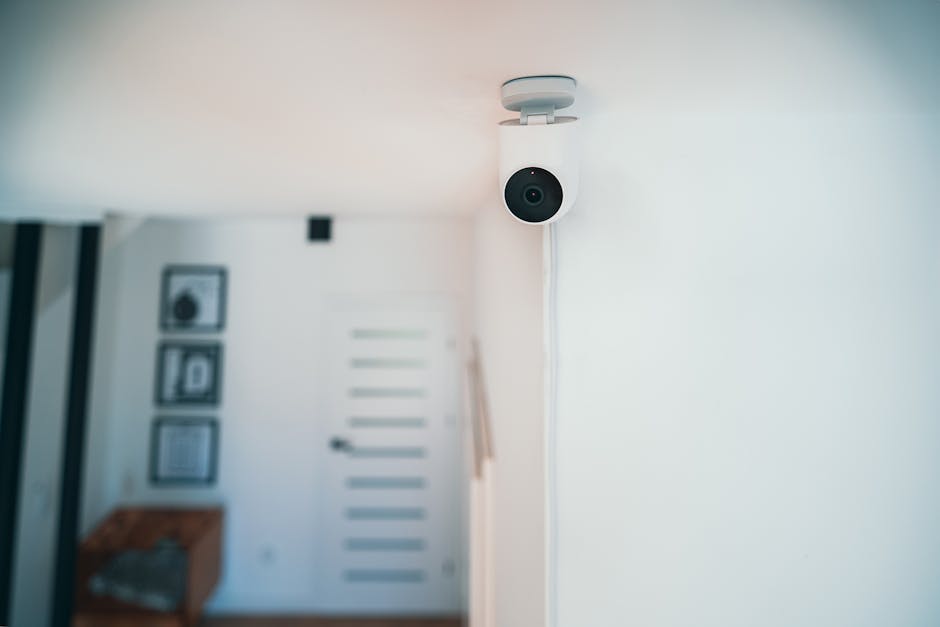
Security cameras provide 24/7 surveillance of key areas. Indoor cameras are ideal for monitoring nurseries, pets, or elderly family members. Outdoor cameras deter intruders and capture evidence if a crime occurs.
- Arlo Pro 5S 2K: Wireless, weather-resistant, with color night vision and a built-in siren. Includes a 1-year Arlo Secure trial for cloud storage.
- Eufy SoloCam S40: No monthly fees—stores footage locally. Offers 2K resolution and solar charging for continuous power.
Look for features like two-way audio, motion tracking, and integration with other smart devices. Avoid cameras that require constant manual charging unless you’re prepared for regular maintenance.
3. Smart Door and Window Sensors
These small, battery-powered devices attach to doors and windows and alert you when they’re opened. They’re especially useful for ground-level entry points or basement windows that are easy to overlook.
- Aqara Door and Window Sensor: Works with Apple HomeKit, Google Assistant, and Amazon Alexa. Compact design and long battery life (up to 2 years).
- SimpliSafe Entry Sensor: Part of a broader security system, ideal for renters or those who want expandable protection.
Installation is typically peel-and-stick, making them renter-friendly. Pair them with a central hub or smart speaker for automated responses, such as turning on lights when a door opens at night.
4. Motion Detectors
Smart motion sensors detect movement in specific zones and can trigger lights, cameras, or alarms. Unlike basic infrared sensors, many modern versions use AI to reduce false alarms from pets or moving shadows.
- Philips Hue Motion Sensor: Integrates with Hue smart lights to automatically illuminate hallways or rooms when motion is detected.
- Bosch TriTech Motion Detector: Professional-grade sensor with pet immunity up to 55 pounds, suitable for larger homes.
Place motion sensors in high-traffic areas like hallways, stairwells, or near safes and valuables. Avoid pointing them at heat sources or vents to prevent false triggers.
5. Smart Smoke and CO Detectors
These devices go beyond standard alarms by sending smartphone alerts and silencing false alarms remotely. Some models can even identify the type of fire (smoldering vs. fast-flaming) for faster response.
- Nest Protect: Features a split-spectrum sensor, voice alerts, and self-testing. Sends phone notifications and integrates with other Nest devices.
- Kidde RemoteLync: Affordable smart option that connects to a mobile app and monitors multiple detectors from one dashboard.
Replace traditional detectors every 10 years, and always test smart models monthly to ensure connectivity and battery life.
6. Water Leak and Freeze Detectors
Water damage is one of the most common and costly home insurance claims. Smart leak detectors provide early warnings and can even shut off water automatically when paired with a smart valve.
- Flume 2 Smart Water Sensor: Monitors your entire water usage and detects leaks in real time. No plumbing required—clamps onto your water meter.
- D-Link DCH-S160 Water Sensor: Wireless, battery-operated, and sends instant alerts to your phone when moisture is detected.
Place sensors near water heaters, washing machines, dishwashers, and under sinks. For full protection, consider adding a smart water shutoff valve like the Moen Smart Valve.
How to Build a Complete Smart Home Monitoring System
A truly effective safety setup isn’t just about buying individual devices—it’s about creating a connected ecosystem. Here’s a step-by-step approach to building a system that works for your home.
Step 1: Assess Your Risks
Start by identifying your biggest concerns. Are you worried about break-ins? Water damage? Fire safety? Elderly parents living alone? Your priorities will determine which devices to prioritize.
For example, a family with young children might focus on smoke detectors and door sensors, while a frequent traveler may invest more in cameras and remote access features.
Step 2: Choose a Central Platform
Most smart devices work with major platforms like Apple HomeKit, Google Home, or Amazon Alexa. Pick one ecosystem and stick with it to ensure compatibility and ease of use.
| Platform | Best For | Key Features |
|---|---|---|
| Amazon Alexa | Budget-friendly setups, wide device compatibility | Works with Ring, Arlo, Ecobee, and hundreds of third-party devices |
| Google Home | Android users, AI-powered automation | Strong integration with Nest products, voice match, and routines |
| Apple HomeKit | iOS users, privacy-focused households | End-to-end encryption, HomePod integration, and seamless iPhone control |
Step 3: Install Strategically
Placement matters. Cameras should cover entry points and blind spots. Sensors should be installed on all accessible doors and windows. Avoid placing devices in areas with extreme temperatures or high humidity unless they’re rated for it.
Follow manufacturer instructions for mounting height and angle. For example, video doorbells should be installed 48 inches above the ground for optimal facial recognition.
Step 4: Set Up Alerts and Automation
Customize notifications so you’re only alerted when necessary. Create “modes” like “Away” or “Night” that adjust device behavior. For instance, when you activate “Away” mode, lights can turn on if motion is detected, and cameras start recording.
Use geofencing to automate routines based on your phone’s location. When you leave home, the system can arm itself; when you return, it disarms and turns on the lights.
Step 5: Test and Maintain
After installation, test each device to ensure it’s working properly. Check battery levels monthly and replace them as needed. Update firmware regularly to protect against security vulnerabilities.
Review stored footage periodically to ensure cameras are capturing clear images. Adjust sensitivity settings if you’re getting too many false alerts.
Privacy and Security Considerations
While smart home devices enhance safety, they also introduce new privacy risks. Cameras and microphones can be hacked if not properly secured. To protect your data:
- Use strong, unique passwords for your Wi-Fi network and device accounts.
- Enable two-factor authentication wherever available.
- Choose devices with local storage options or end-to-end encryption.
- Regularly review app permissions and disable features you don’t use.
- Avoid placing cameras in private areas like bedrooms or bathrooms.
Also, be mindful of data retention policies. Some companies store footage indefinitely unless you delete it manually. Read privacy policies before purchasing.
Common Mistakes to Avoid
Even with the best devices, poor setup can reduce effectiveness. Avoid these common pitfalls:
- Overloading on devices: More isn’t always better. Focus on high-impact areas first.
- Ignoring Wi-Fi strength: Weak signals cause delays or dropped connections. Use a mesh network if needed.
- Skipping firmware updates: Outdated software can have security flaws.
- Not testing alerts: A system that doesn’t notify you in real time is useless when you need it most.
Start small, learn how the system works, and expand gradually based on your experience.
Final Thoughts
Smart home devices for safety and home monitoring are a smart investment for any household. They offer real-time protection, prevent costly damage, and provide peace of mind whether you’re at home or away. By choosing the right devices, installing them correctly, and maintaining them over time, you can build a system that truly enhances your home’s security.
Begin with one or two key devices—like a video doorbell and a smart smoke detector—and expand as needed. With thoughtful planning, your smart home can become a safer, more responsive environment for everyone who lives there.
FAQ
Do I need a monthly subscription for smart home security devices?
Not always. Many devices offer basic functionality without a subscription, such as live viewing and motion alerts. However, cloud video storage, advanced AI features (like person detection), and longer clip retention usually require a paid plan. Some brands, like Eufy, offer local storage with no fees.
Can smart home devices work during a power outage?
Most battery-powered devices will continue working during a power outage, but Wi-Fi and internet connectivity may be lost unless you have a backup power source like a UPS or cellular backup. Wired devices connected to your home’s electrical system will not function without power unless they include a battery backup.
Are smart home security devices difficult to install?
Many are designed for DIY installation and require no special tools. Battery-powered sensors and cameras often use adhesive mounts. Wired devices may need basic electrical knowledge or professional help. Always follow the manufacturer’s instructions and check compatibility with your existing setup.