

Smart WiFi Camera 4K USB Charger Cameras with 90-Degree Lens Support App Remote & Motion Detection for Indoor, Office and Pets -No Audio
$62.00
Related Products





Product description
4k HD

Product Details

Multiple application scenarios

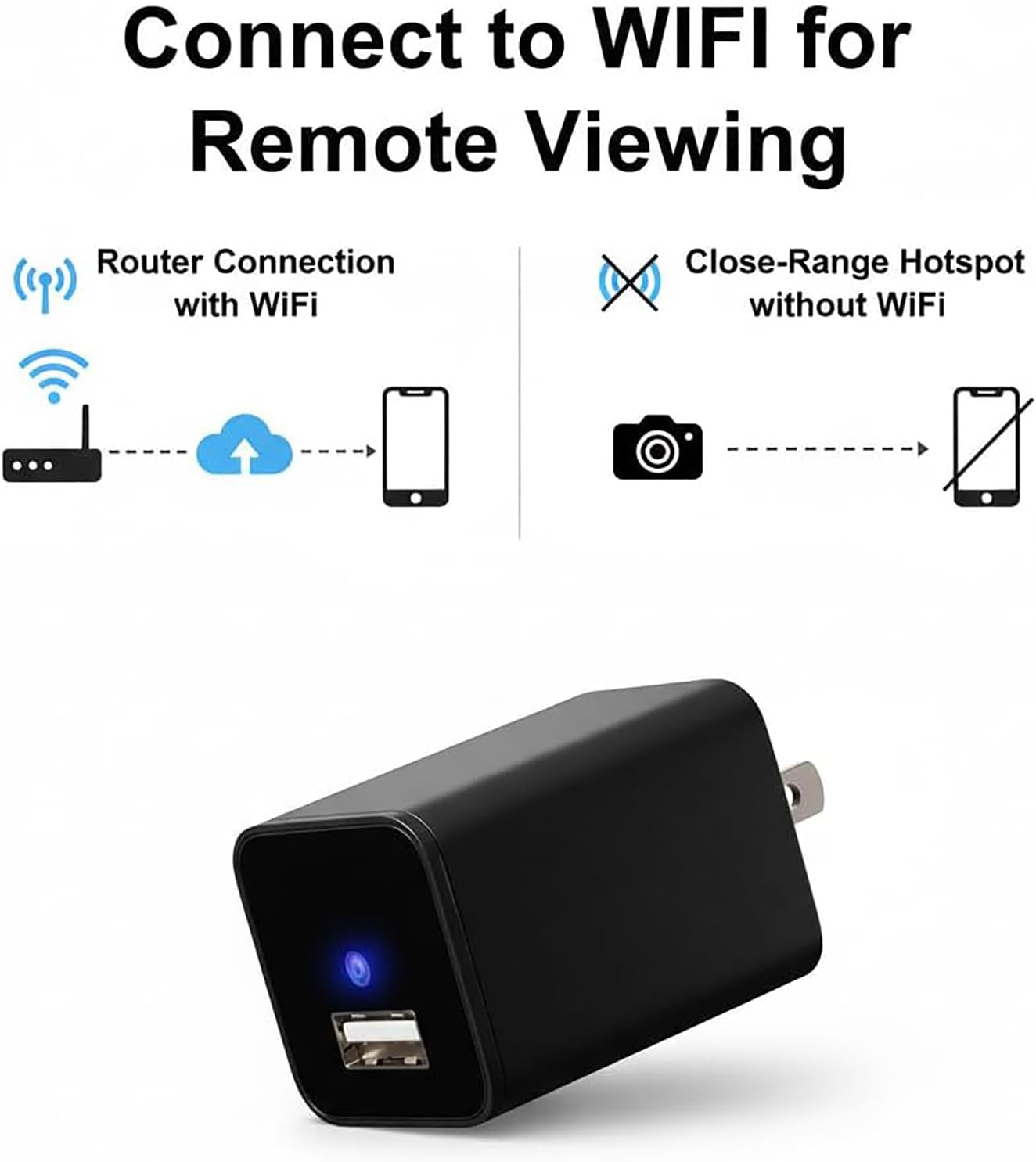
3 WAYS OF CONNECTIONS

Sd card storage and cloud storage

Motion Detection,Multi sensitivity adjustment

4k Clarity Camera: Experience Clear 4k Resolution, with 90° Wide-Angle Lens Captures Detail, Our wall-plugged design plug into the Wall. (No night vision, don’t suggest use it in darkness)No Audio. The device can’t charge for your phones. (Please note that iOS and Android users should download the “ULar” application.)
Intelligent Motion Detection And Instant Alerts: It can accurately detect motion, we optimized the algorithm with low false alert rate, and It supports multi-level sensitivity adjustment and motion zone. When detect, alerts and clips will be sent to your phone. Also you can share it with your family, which can share 3~5 device for remote.
Stable remotely viewing via phone when connected to WiFi; hotspot connection when no home wifi. We suggest that connect it with Home 2.4G WiFi6 for remote. AP Hotspot mode only for local 10-meter short distance. With No complicated wiring or network connection to set up, our wireless cameras simply require an electrical outlet to start. When Wifi Is Not Available, Simply Insert The Sd Card (Not Included) And The Camera Will Still Work.
Flexible Storage Options: Record Continuously With Support For Microsd Cards Up To 256gb (SD Card Not Included). Higher Compression Efficiency, The Same Sd Card, Can Store At Least 3 Times The Content Without Losing Image Quality. Also support cloud storage need subscription.
How to Connect: Step1. (Prepare your own SD card and insert it in card slot). Plug in the camera and the indicator light is always on, you need to wait a few seconds it will turn to red&blue blinking. Step2.Turn on your phone’s WiFi also connect it with your home WiFi. Then turn on our App to ‘add camera’, please notes select the mode 1 ‘smart scan’ and view the correct camera mode you have. Step3. Confirm the WiFi again, There will be a code on your App, you need use the usb charger camera to scan this code, when the indicator light blinking blue first then keep blue on, it says recognized. After this, you can set your camera password and remote the camera.
User Reviews
Be the first to review “Smart WiFi Camera 4K USB Charger Cameras with 90-Degree Lens Support App Remote & Motion Detection for Indoor, Office and Pets -No Audio”
$62.00
There are no reviews yet.