
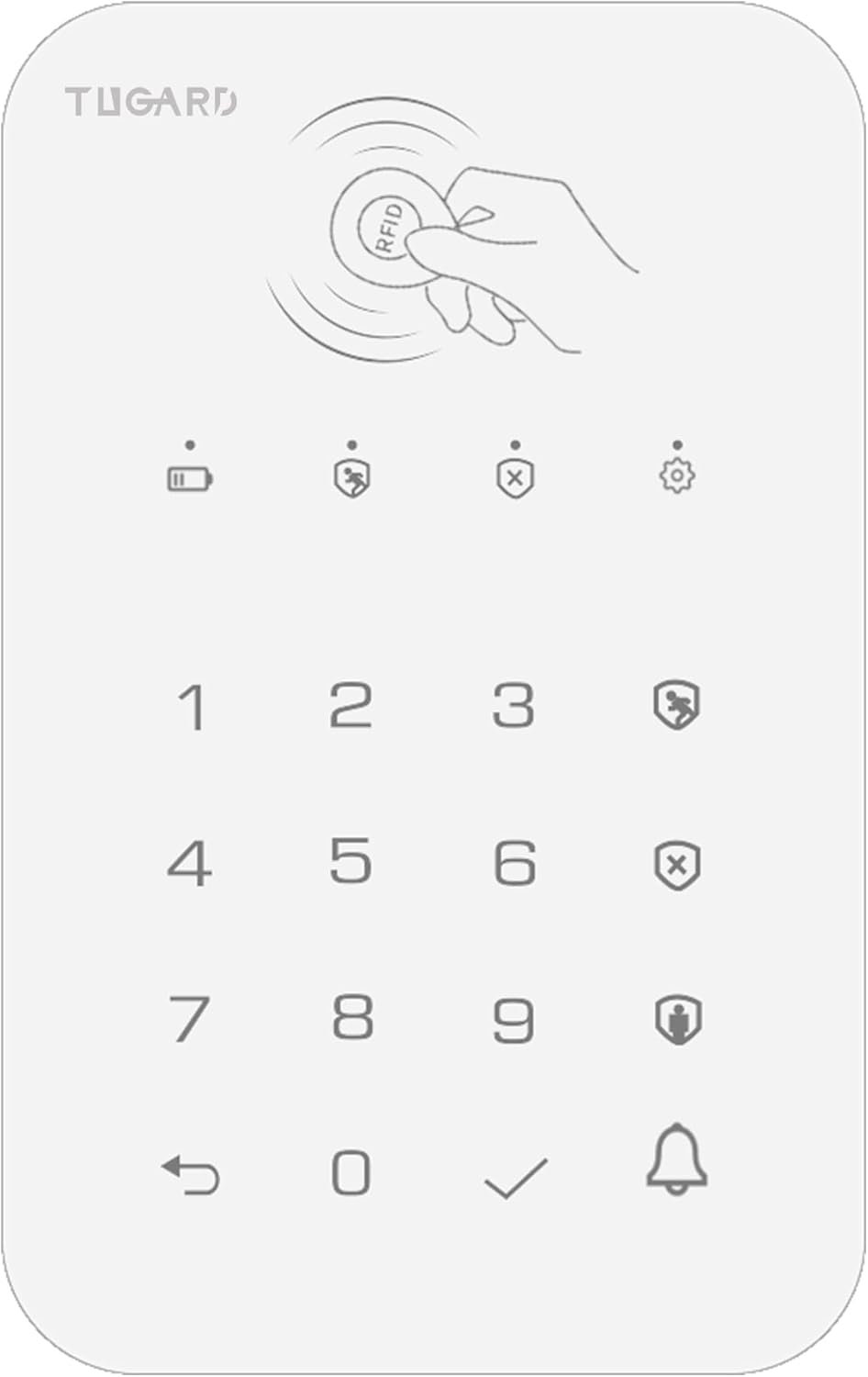
Keyboard for WiFi GSM Burglar Alarm System,Smart Home Alarm System Base Wireless 12 Pieces-kit,DIY Alarm System,Remote,Keypad,Compatible with Alexa,for House,Villa Apartment Security,White
$7.99
Related Products





Product description
How to connect your keypad to the home security alarm system hub?

STEP 1. Set your hub into pairing/sniffer mode.
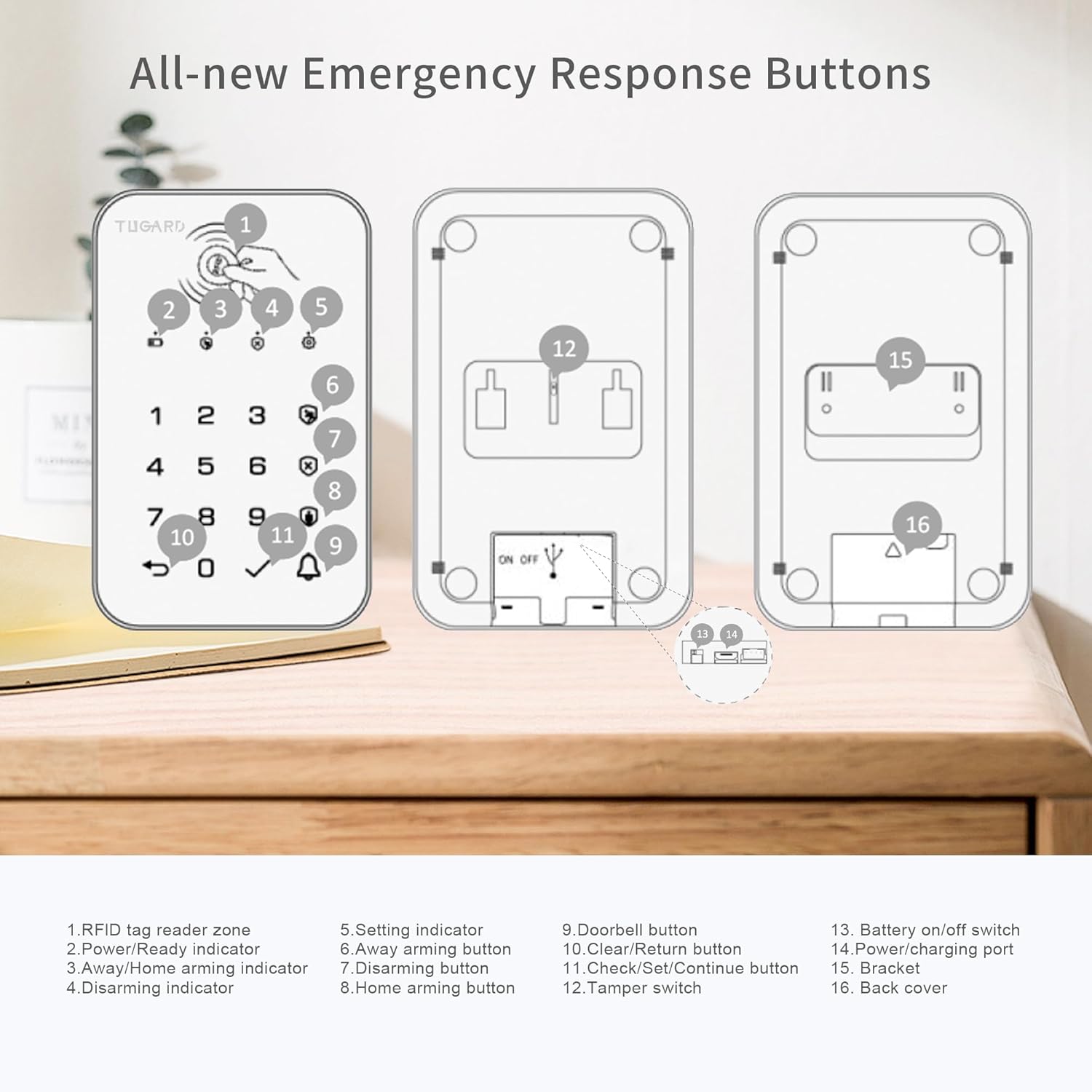
STEP 2. Enter user passcode then press “Away Arming Indicator” to send arming transmission signal to hub.
STEP 3. The hub gives the successful indication.

Keypad for the Smart Home Security Alarm System Technical Details
Power Supply Micro USB+5VDC/1000mA Backup Battery 3.7V, 500mAh Lithium-ion Battery. Consumption <15uA@sleep and <15mA@ready Radio Frequency 433Mhz RFID Chip 4100/4200 RFID Frequency 125KHz Operating conditions Indoor use, 14°F to 131°F (-10~55℃). Product Dimensions 5.43 x 3.46 x 0.68 inch. Connectivity Bluetooth connection, 2.4G Wi-Fi. Installation Place it on any flat surface or Wall mount with Quick-Release Bracket,Screw-In. Charging the battery Push the battery switch to on. Connect your keypad to a power outlet using the included cable and USB power adapter. It takes two to three hours to charge the keypad battery fully from an empty state. The power indicator turning from breathing green to solid green means that the battery is fully charged. If the keypad is low battery, the power indicator may flash red once per 2 seconds, indicating that it needs to charge. Installation requirement Before installation, please test the keypad communication range with your hub first. It is not advised to mount the keypad onto metal surfaces as the material can block RF signals between the keypad and the receiver. Fix the bracket to the surface with included screws. Insert the keypad into the bracket. Sleep/Wake mode To save the battery power, the keypad goes to sleep without operation within 20 seconds. Touch any button to wake the keypad. Reset Keypad This process resets your keypad to factory settings and removes all RFID tags. Press and release tamper switch found underneath the bracket ten times, then all indicators are on ,then the keypad restarts.
How to Pair RFID Tag to the keypad of the alarm security system?

The RFID tags supplied with this kit are paired with keypad. IF NOT or you want to pair more, you might easily pair the tag with your keypad as following.
STEP 1. Enter admin passcode then √. STEP 2. Press 1 then √.
STEP 3. Enter a digit from 0 to 9 to designate a unique number for the tag to be paired, then √, the arming, disarming and setting indicators blinks together. STEP 4. Tap the tag on the read zone,the keypad gives two beeps of successful indication.
Tips: up to 10 RFID tags can be added.
Deleting RFID Tag
STEP 1. Enter admin passcode then √. STEP 2. Press 2 then √. STEP 3. Enter the tag number from 0 to 9 to be deleted, then √.
Deleting All RFID Tags
STEP 1. Enter admin passcode then √. STEP 2. Press 3 then √ to delete all RFID tags.
Setting User Passcode
STEP 1. Enter admin passcode then √. STEP 2. Press 0 then √. STEP 3. Enter the new 4-digit user passcode, then √.
Setting Admin Passcode
STEP 1. Enter admin passcode then √. STEP 2. Press 9 then √. STEP 3. Enter the new 4-digit admin passcode, then √.

How to pair the doorbell to the keypad of the door alarms system?
The doorbell identification number in transmission code to the hub is different from the arming/disarming id number, so It is necessary to pair doorbell code with your hub before using doorbell. Do like the
followings:
STEP 1. Set your hub into pairing/sniffer mode.
STEP 2. Press “doorbell“ button to send doorbell transmission signal to the hub alarm system.
STEP 3. The hub gives the successful indication.
Now the doorbell function can be used.
The Alarm Security System Supports that You Can Share with Your Family in the Smart Life & Tuya APP

You can share TUGARD home security alarm system by adding your family’s mobile number in the Smart Life & Tuya APP if you pay a fee.
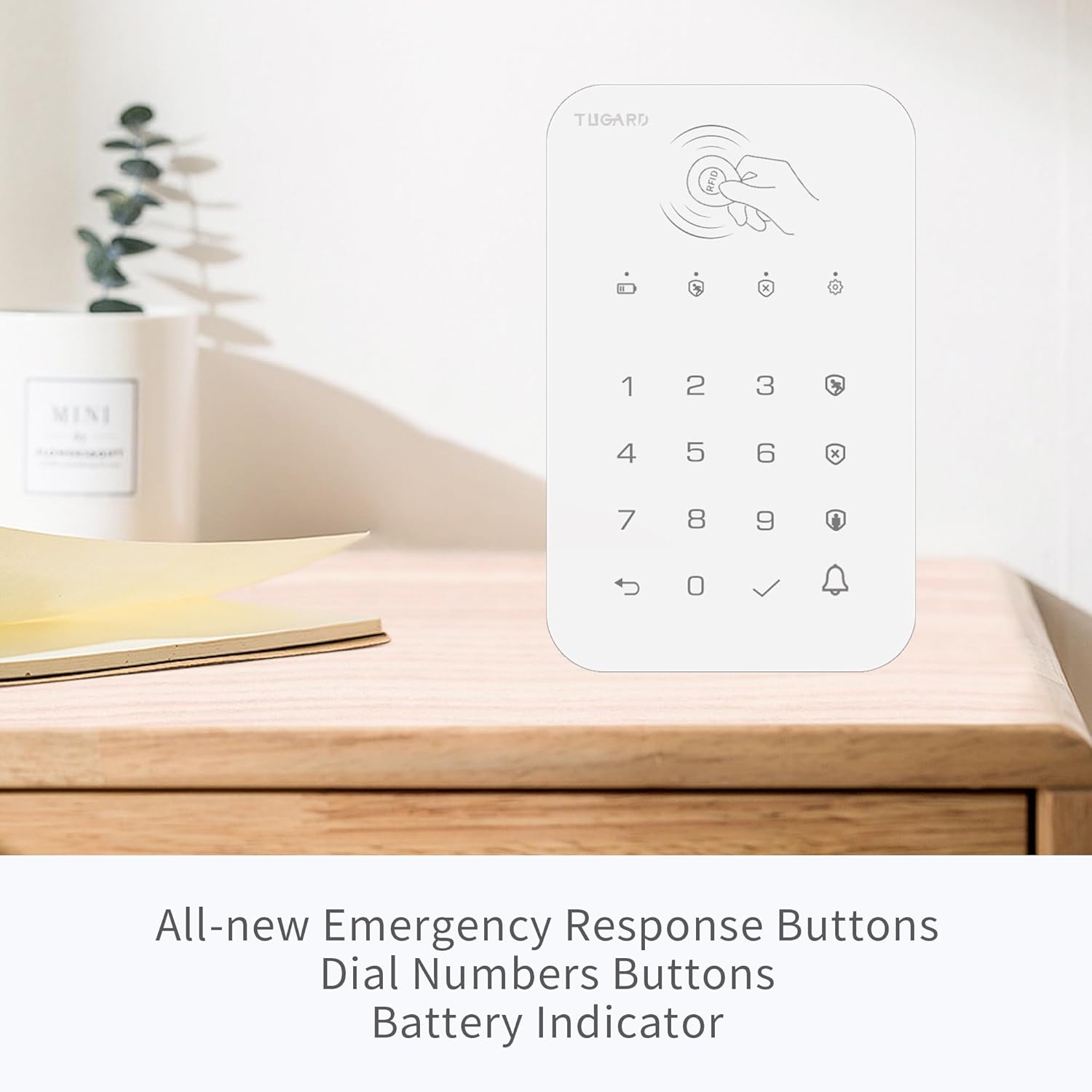
CUTE DESIGN: TUGARD Keyboard for Home Alarm Security System Product Size: 5.43×3.46×0.68 inch, Weight:0.25lb.
EASY TO USE THE TUGARD KEYBOARD: To pair a keypad, enter USER PASSCODE+DISARM BUTTON on keypad to be paired. If you want that the doorbell button of keypad can be used, you need to pair with hub again using doorbell button.Requires Alarm System Base Station.
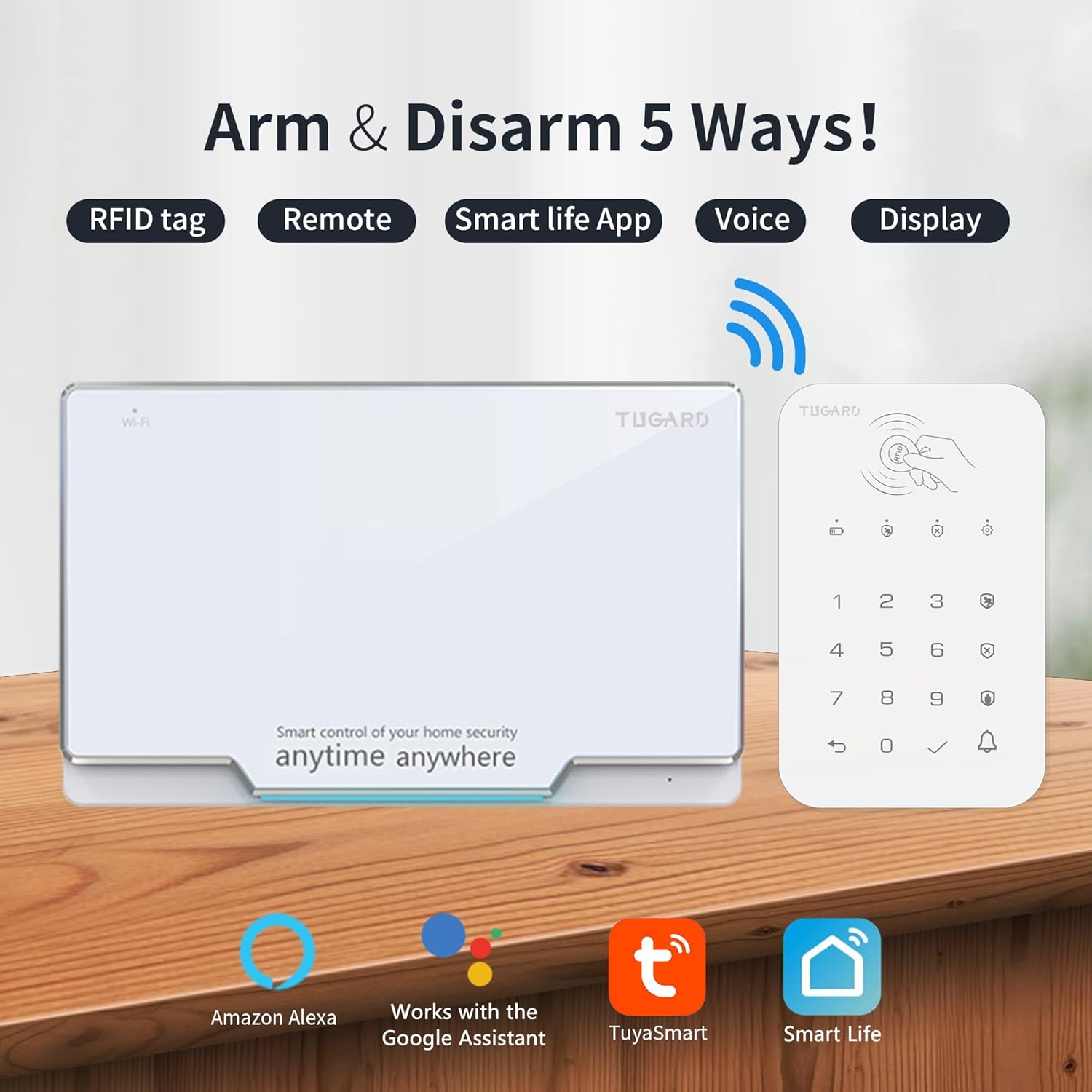
2.4GHz WIFI: TUGARD Keyboard for Wifi Alarm System Work with Alexa, and Google Assistant. Only work on 2.4GHz WiFi. (NOT SUPPORT 5G).
EARLY-WARNING NOTIFICATIONS: Receive real-time early-warning notifications in the form of smartphone alarm alerts, limited SMS/text messages, or use TUGARD keypad for the Smart Home Alarm System to call(add-on values) to deter burglars successfully and always give you peace of mind.
TUGARD KEYPAD REMOTE CONTROL: Wherever you are, you can control and monitor your wireless WiFi home alarm system on the Smart Life App anytime, such as arm/disarm your home remotely, and personalized Entry, and Exit Delay with TUGARD Keypad or Your Mobile Phone.
User Reviews
Be the first to review “Keyboard for WiFi GSM Burglar Alarm System,Smart Home Alarm System Base Wireless 12 Pieces-kit,DIY Alarm System,Remote,Keypad,Compatible with Alexa,for House,Villa Apartment Security,White”
$7.99
There are no reviews yet.